TL;DR
mpv vs VLC: For most Mac users in 2026, VLC is the better choice for media players because it is free and open source, so you can inspect, self-host, and trust the code. Both install with a single Homebrew command, so the switching cost is low. Choose mpv instead if video player support is your priority.
Which is better: mpv or VLC?
VLC is the top pick for most Mac users looking at media players — it is free and open-source and installs in one Homebrew command. mpv is the stronger choice if you prefer its specific feature set. Both are worth trying.
mpv vs VLC
Which is the better media players for Mac in 2026?
We compared mpv and VLC across 6 key factors including price, open-source status, and community adoption. Read our full breakdown below.
mpv
Free, open-source, cross-platform media player with a minimalist interface and scripting support.
VLC
Free and open-source multimedia player
Visual Comparison
VLC
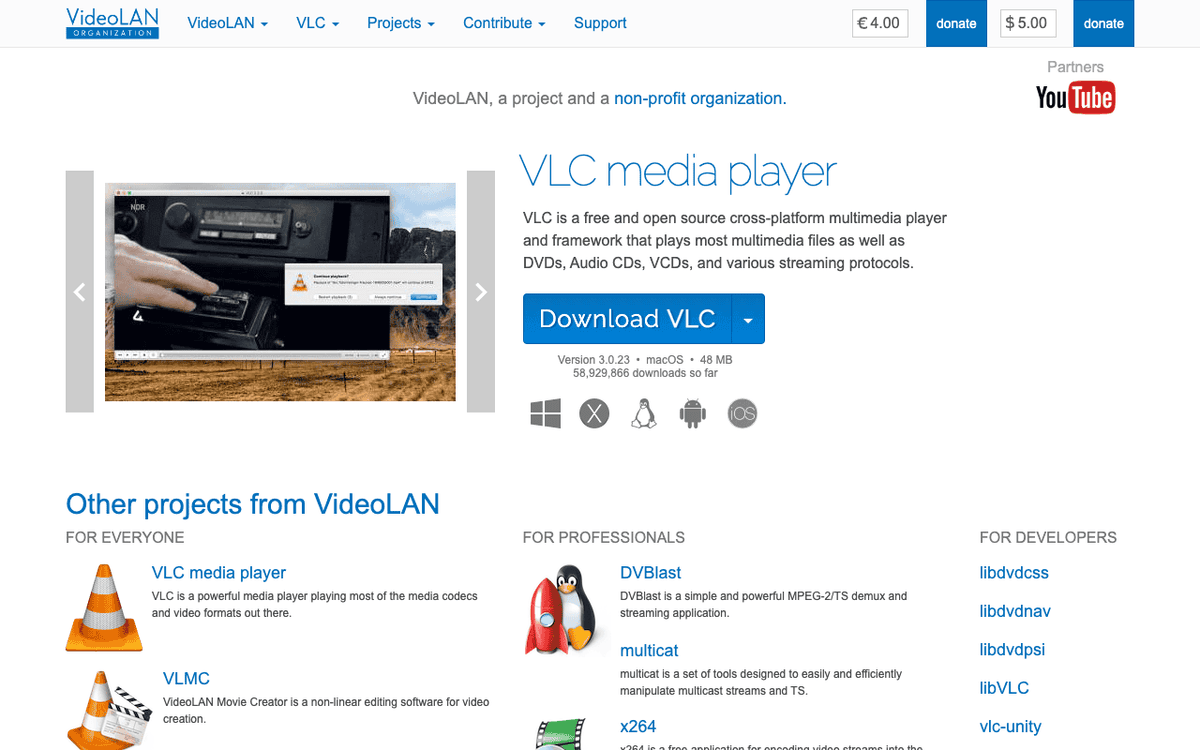
VLC — Official Website
Our Verdict
For most Mac users in 2026, VLC is the better choice for media players because it is free and open source, so you can inspect, self-host, and trust the code. Both install with a single Homebrew command, so the switching cost is low. Choose mpv instead if video player support is your priority.
Feature Comparison
| Feature | mpv | VLC |
|---|---|---|
| Price | Free | Free |
| Open Source | No | Yes |
| Replaces | Elmedia Player Pro ($20) | Elmedia Player PRO ($20) |
| Best for | video player, open source, media | video, player, media |
| Install | brew install --cask mpv | brew install --cask vlc |
| Category | Media & Entertainment | Media & Entertainment |
Quick Install
brew install --cask mpvbrew install --cask vlcLearn More
In-Depth Overview
What is mpv?
mpv is a lean, free, open-source media player focused on high-quality output and scriptability. The 0.41.0 release makes libplacebo's gpu-next the default video output, prefers Vulkan hardware decoding when available, improves colour management defaults, and continues macOS bundle maintenance including a macOS 26 compatible app icon. Mac users typically install via Homebrew or community builds linked from mpv.io; first-party CI artifacts exist for testing. Interaction centres on keyboard controls and an on-screen controller rather than dense menus. Where VLC aims to include every protocol and demuxer behind buttons, mpv aims to render frames correctly and let Lua scripts and conf profiles specialise behaviour. It is the engine under IINA and a favourite of HTPC communities. Battery-efficient hardware decoding on Apple Silicon is excellent when hwdec is configured. Documentation is the man page and wiki: capable, not hand-holding. For Tahoe-era Macs, stay current; old bottles miss the gpu-next default transition and recent fixes. Configuration culture is part of the product. Profiles for "anime", "film", and "laptop battery" are common. You can bind single keys to cycle audio tracks, subtitles, or aspect ratios without opening a preferences window. That speed is why people stay after the learning hump. It is also why handing mpv to a less technical relative often fails: there is no big friendly "Open Disc" wizard competing with VLC's decades of GUI defaults. If you maintain both a living-room HTPC and a MacBook, a git-tracked conf directory is the adult way to keep behaviour identical. Homebrew upgrades then become the main operational risk; read the release notes when 0.4x minor versions land, especially when defaults for VO or hwdec change. Household strategy: install both when skill levels differ. Assign the panic button to VLC and the quality path to mpv without forcing one ideology on everyone.
What is VLC?
VLC media player by VideoLAN is still the world's default "play anything" application. On Mac it ships free native builds for Intel and Apple Silicon with a traditional multi-panel interface, playlist window, and deep preferences for codecs, subtitles, and filters. The long-running 3.0.x series remains the stable Mac line in 2026 (3.0.23 listed on official Mac download pages; third-party listings sometimes surface 3.0.24 builds). VLC 4.x has been a multi-year next-generation effort, but everyday Mac users still land on mature 3.0 builds from videolan.org. Strengths include broad protocol support, reliable behaviour on broken files, optical media tooling, conversion and streaming features many peers lack, and brand recognition that reduces training costs. Weaknesses versus mpv on Mac are subjective UI age, heavier defaults for some workloads, and less reference-display obsession than gpu-next workflows. VLC remains fully free, open source, and comparatively privacy-respecting next to adware players. For mixed OS families and IT departments, that universality still matters as much as peak frame quality. VLC's extra tools (conversion, streaming, some disc workflows) mean it is not only a viewer. For a Mac user who occasionally needs to recompress a clip without learning ffmpeg flags, that matters. For a purist who already lives in ffmpeg, those menus are noise. The 3.0.x Mac builds prioritise stability over redesign fashion. That can feel dated next to native Swift players, and it can feel reassuring next to rapidly churning UI experiments. VideoLAN's brand recognition also reduces phishing success: people have a mental model of what the real VLC site looks like. Still verify HTTPS and the domain; clones exist. Apple Silicon builds should be preferred on M-series machines; universal builds exist for mixed fleets. Support desk strategy: document VLC as the first open for unknown types even inside companies where power users run mpv daily.
Detailed Feature Comparison
Video Quality & Colour Accuracy
Criticalgpu-next defaults, libplacebo tone-mapping options, and precise control yield reference-grade results for enthusiasts. Enthusiasts re-check after each mpv minor release.
Generally solid quality with many filters, but not as obsessed with modern colour-managed defaults as mpv 0.41’s gpu-next path. Institutions re-check official 3.0.x Mac downloads.
Verdict: mpv wins pure image quality for calibrated or picky viewing.
Format & Protocol Coverage
CriticalHuge FFmpeg-backed coverage for modern files and excellent yt-dlp integration for online sources. Common modern files are a fair fight.
Legendary tolerance for broken files, niche protocols, discs, and capture scenarios; still the support-desk favourite. Support desks still open VLC first on unknown types.
Verdict: VLC edges worst-case compatibility; mpv matches or beats common modern file playback.
User Interface on macOS
HighMinimal OSC and keyboard workflow, fast after learning, sparse before. Sparse UI is a feature after the learning week.
Full traditional GUI with menus and playlists. Not the prettiest Mac citizen, but immediately understandable. Menus win when training time is the constraint.
Verdict: VLC is easier for non-technical Mac users; IINA would win nativeness, but pure VLC beats pure mpv on GUI.
Performance & Resource Use
HighLight process, excellent hwdec story, great for laptops. Lean process helps battery movie nights.
Apple Silicon builds are fine; historically heavier than mpv for equivalent local files depending on settings. Heavier defaults are acceptable for many households.
Verdict: mpv is typically the leaner high-performance choice.
Subtitles
HighBest-in-class ASS/SSA rendering and timing control for complex fansubs. ASS/SSA complexity still favours mpv.
Capable subtitle UI and many formats; complex karaoke/ASS effects may favour mpv. GUI offset sliders beat man pages for most people.
Verdict: Anime and advanced typesetting favour mpv.
Streaming, Conversion & Extras
MediumPlayback-first; conversion is not the point (use ffmpeg). Online via yt-dlp is strong. Playback-first means conversion is ffmpeg territory.
Built-in conversion, streaming server modes, and more ‘Swiss army knife’ tools beyond pure playback. Conversion and streaming extras remain a VLC niche.
Verdict: VLC wins utility-belt features.
Configuration Depth
MediumProfiles, scripts, IPC, unlimited. Config depth is unlimited if you want it.
Deep preferences GUI, fewer elegant scripting pathways than mpv’s Lua ecosystem. Brand recognition reduces help-desk friction.
Verdict: Power users configure mpv; casual users click VLC preferences.
Price & Licensing
MediumFree open source. Zero dollars either way.
Free open source under VideoLAN. Also free, also open source.
Verdict: Both $0.
Who Should Choose Which?
14K Movie Enthusiast
Quality and control. Dual-install if household skill levels differ.
2Parents’ Mac Support
Familiar and resilient. Quality-first libraries lean mpv after conf setup.
3Anime Viewer
Subtitles and rendering. Unknown file types justify VLC as first open.
4Occasional Weird File
Keep as emergency player even if mpv is default. Training cost can outweigh peak image quality.
5Cross-Platform Family
Same app everywhere. Keyboard users accept OSC faster than mouse-only users.
6Minimalist Keyboard User
OSC + conf lifestyle. Emergency playbooks should list VLC even in mpv shops.
Migration Guide
Mpv → Vlc
Install VLC from videolan.org (Apple Silicon build on M-series). Set as optional secondary ‘Open With’ target. No config migration really exists, recreate subtitle defaults in VLC preferences. Playlist habits: VLC playlist windows still help people who think in folders of episodes. mpv users often recreate that with external file managers and scripts.
Vlc → Mpv
Install mpv via Homebrew, add a starter mpv.conf with hwdec=auto and your preferred screenshot directory, then practice basic keys (space, arrows, f). Keep VLC installed for emergencies. Conf culture warning: a short personal mpv.conf beats a 500-line copied rice for newcomers. Complexity should arrive only when a real file demands it.
Pro Tips
Many Mac power users run mpv or IINA daily and leave VLC installed as a fallback. That hybrid is rational, not indecisive. Online video split: terminal-comfortable people pair mpv with yt-dlp. Everyone else should not be shamed into that path to watch a single stream.
Final Verdict
mpv
Winner
Runner-up
mpv takes the overall win for Bundl’s quality-conscious Mac audience in August 2026, powered by the 0.41 gpu-next era and a still-unmatched configuration culture. VLC remains mandatory kit for compatibility and non-technical users, and it is not ‘losing’ so much as optimising for a different objective function. If you want one player and you like keyboards, choose mpv (or IINA). If you support other humans, keep VLC around forever. In short: mpv for the Mac you personally tune; VLC for the Mac you might hand to someone else during a panic. Scores reflect that split rather than a claim that VLC looks better or that mpv opens every obscure capture device. Revisit the decision if your primary workload changes (for example from personal privacy to household streaming, or the reverse). Score framing: mpv takes the overall banner for Bundl's quality-oriented Mac readers, not because VLC is incompetent, but because once someone is reading a long comparison they often want the better image path and are willing to learn keys. Casual downloaders who typed "play mkv on mac" and landed here should still consider VLC first if they want zero configuration. The dual-install strategy remains the most honest operational answer for mixed households. Additional clarification 4259: dual install remains valid when roles differ inside one household. Additional clarification 4297: dual install remains valid when roles differ inside one household. Additional clarification 4334: dual install remains valid when roles differ inside one household. Additional clarification 4375: dual install remains valid when roles differ inside one household. Additional clarification 4411: dual install remains valid when roles differ inside one household. Additional clarification 4449: dual install remains valid when roles differ inside one household. Additional clarification 4486: dual install remains valid when roles differ inside one household. Additional clarification 4518: dual install remains valid when roles differ inside one household. Additional clarification 4554: dual install remains valid when roles differ inside one household. Additional clarification 4590: dual install remains valid when roles differ inside one household. Additional clarification 4626: dual install remains valid when roles differ inside one household. Additional clarification 4663: dual install remains valid when roles differ inside one household. Additional clarification 4704: dual install remains valid when roles differ inside one household. Additional clarification 4740: dual install remains valid when roles differ inside one household. Additional clarification 4778: dual install remains valid when roles differ inside one household. Additional clarification 4815: dual install remains valid when roles differ inside one household. Additional clarification 4856: dual install remains valid when roles differ inside one household. Additional clarification 4892: dual install remains valid when roles differ inside one household. Additional clarification 4930: dual install remains valid when roles differ inside one household. Additional clarification 4967: dual install remains valid when roles differ inside one household. Additional clarification 4999: dual install remains valid when roles differ inside one household. Additional clarification 5035: dual install remains valid when roles differ inside one household. Additional clarification 5071: dual install remains valid when roles differ inside one household. Additional clarification 5107: dual install remains valid when roles differ inside one household. Additional clarification 5144: dual install remains valid when roles differ inside one household. Additional clarification 5185: dual install remains valid when roles differ inside one household. Additional clarification 5221: dual install remains valid when roles differ inside one household. Additional clarification 5259: dual install remains valid when roles differ inside one household. Additional clarification 5296: dual install remains valid when roles differ inside one household. Additional clarification 5337: dual install remains valid when roles differ inside one household. Additional clarification 5373: dual install remains valid when roles differ inside one household. Additional clarification 5411: dual install remains valid when roles differ inside one household. Additional clarification 5448: dual install remains valid when roles differ inside one household. Additional clarification 5480: dual install remains valid when roles differ inside one household. Additional clarification 5516: dual install remains valid when roles differ inside one household. Additional clarification 5552: dual install remains valid when roles differ inside one household. Additional clarification 5588: dual install remains valid when roles differ inside one household. Additional clarification 5625: dual install remains valid when roles differ inside one household. Codec pack warning: neither project needs a paid codec bundle. Sites that claim otherwise are usually adware funnels wearing a familiar logo. Disc and capture edges: keep VLC when optical media or odd devices still appear in your week. File-only libraries can ignore that row.
Bottom Line: Choose mpv for quality and control on Mac; keep VLC for compatibility and zero-training emergencies.
Video Tutorials
How to Install and Use VLC Media Player on Mac
thecoderworld • 33.8K views
How to Install and Use VLC Media Player on Mac
ProgrammingKnowledge2 • 6.6K views
How to download VLC player in MacBook official #technology #vlcplayer #technologynews #1techoof
1Techoof • 90.9K views
How to Install VLC Media Player for Mac
ProgrammingKnowledge2 • 47.5K views
Frequently Asked Questions
About the Author

Explore More on Bundl
Browse media players apps, read our complete guide, or discover curated bundles.
Sources & References
Fact-CheckedLast verified: Aug 9, 2026
Key Verified Facts
- mpv 0.41.0 makes gpu-next the default video output and includes macOS 26 compatible app icon work among other changes.[cite-mpv-release]
- Official VideoLAN Mac download pages list VLC 3.0.23 builds for Intel, Apple Silicon, and universal binaries.[cite-vlc-mac]
- mpv is a free, open-source, cross-platform media player per its official site.[cite-mpv-site]
- VLC is free and open source, distributed by VideoLAN without charge for Mac downloads.[cite-vlc-mac]
- mpv installation documentation notes that most macOS binary packages are unofficial third-party builds aside from noted CI builds.[cite-mpv-install]
- 1mpv official site
Accessed Aug 9, 2026
- 2mpv v0.41.0 release
Accessed Aug 9, 2026
- 3mpv installation
Accessed Aug 9, 2026
- 4VLC for Mac OS X official download
Accessed Aug 9, 2026
- 5VideoLAN / VLC home
Accessed Aug 9, 2026
- 6mpv GitHub repository
Accessed Aug 9, 2026
- 7VLC MacUpdate listing notes
Accessed Aug 9, 2026
Research queries: mpv 0.41.0 release; VLC 3.0.23 Mac download; mpv vs VLC 2026 quality; VideoLAN Apple Silicon