TL;DR
VSCodium vs Visual Studio Code: For most Mac users in 2026, Visual Studio Code is the better choice for code editors because it is the more widely adopted, better-maintained option in the code editors space. Both install with a single Homebrew command, so the switching cost is low. Choose VSCodium instead if code-editor support is your priority.
Which is better: VSCodium or Visual Studio Code?
Visual Studio Code is the top pick for most Mac users looking at code editors — it is free and installs in one Homebrew command. VSCodium is the stronger choice if you prefer its specific feature set. Both are worth trying.
VSCodium vs Visual Studio Code
Which is the better code editors for Mac in 2026?
We compared VSCodium and Visual Studio Code across 6 key factors including price, open-source status, and community adoption. Read our full breakdown below.
VSCodium
VS Code without Microsoft telemetry and tracking
Visual Studio Code
Open-source code editor by Microsoft
Visual Comparison
Visual Studio Code
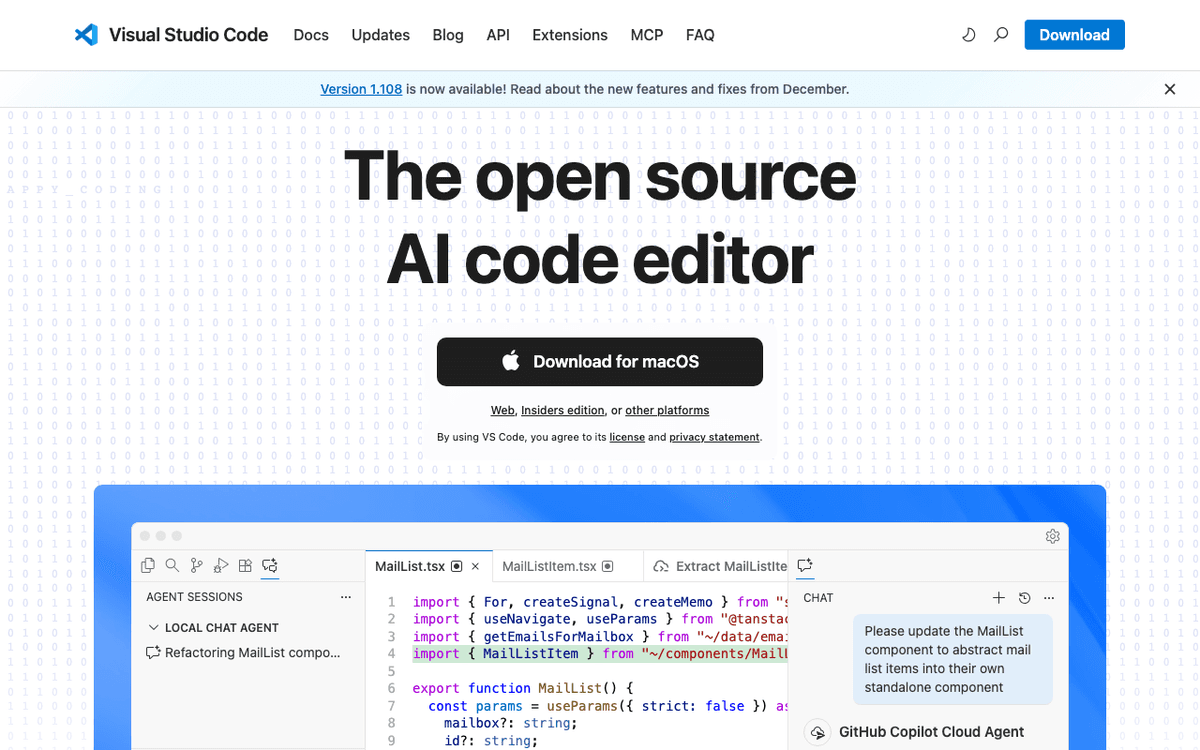
Visual Studio Code — Official Website
Our Verdict
For most Mac users in 2026, Visual Studio Code is the better choice for code editors because it is the more widely adopted, better-maintained option in the code editors space. Both install with a single Homebrew command, so the switching cost is low. Choose VSCodium instead if code-editor support is your priority.
Feature Comparison
| Feature | VSCodium | Visual Studio Code |
|---|---|---|
| Price | Free | Free |
| Open Source | No | No |
| Replaces | Sublime Text ($99) | Sublime Text ($99) |
| Best for | code-editor, open-source, privacy | code editor, microsoft, extensions |
| Install | brew install --cask vscodium | brew install --cask visual-studio-code |
| Category | Developer Tools | Developer Tools |
Quick Install
brew install --cask vscodiumbrew install --cask visual-studio-codeLearn More
In-Depth Overview
What is VSCodium?
VSCodium is the community build of Visual Studio Code that ships without Microsoft telemetry. As of 9 August 2026 Homebrew casks and GitHub Releases track the 1.126 line, usually a day or two behind Microsoft stable. The Monaco editor, extension host, debugger, integrated terminal and Git UI are the same as stock VS Code because the core is identical. What changes is packaging. There are no Microsoft telemetry endpoints compiled in, the binaries are MIT licensed, the default registry is Open VSX instead of the Visual Studio Marketplace, and the branding is neutral. You can still use AI through Continue, local models via Ollama or LM Studio, Muse Spark API keys or manual .vsix installs where the license allows, but GitHub Copilot and several Microsoft-only extensions stay Marketplace-locked by design. On macOS you install through Homebrew with brew install --cask vscodium or from a DMG on GitHub Releases, and it runs natively on Apple Silicon. When people ask whether VSCodium is "just VS Code without Microsoft," the accurate reply is yes for editing features and no for ecosystem glue. Extensions that Microsoft ships only through the Visual Studio Marketplace will not appear in Open VSX. Remote Development packs, Live Share, and C# Dev Kit are the usual blockers for enterprise teams. Privacy teams still prefer the fork because telemetry endpoints are absent from the build, not merely toggled off in settings. If your Mac is managed and you need a signed DMG path without a Microsoft account prompt on first launch, VSCodium fits.
Detailed Feature Comparison
Telemetry & Privacy
HighAll product telemetry is removed at build time. Public build scripts let you verify patches. No crash reporting, usage analytics, or extension-host telemetry baked into the distributed binary. This is the primary reason security-conscious teams adopt VSCodium.
Verdict: VSCodium is verifiably telemetry-free; VS Code requires trust plus settings hardening.
Extension Marketplace
CriticalDefaults to the Open VSX Registry operated with Eclipse Foundation governance. Mainstream extensions such as ESLint, Prettier, Python, rust-analyzer, GitLens, and Docker are available. Gaps that still block some developers: GitHub Copilot, C# Dev Kit, Remote SSH, and Live Share. Manual .vsix installs work only when the publisher licence allows non-Microsoft hosts.
Verdict: Marketplace breadth, especially Copilot, keeps VS Code the default for most teams.
AI Coding Assistance
HighNo first-party GitHub Copilot. Pair with Continue.dev, terminal agents, local models, or permitted third-party extensions. You control the data path, which is the point for privacy-focused setups, but you lose Microsoft's multi-agent Copilot surface.
Verdict: Official Copilot integration makes VS Code the path of least resistance for AI-assisted coding.
Settings Sync & Accounts
MediumNo built-in Microsoft or GitHub cloud Settings Sync. Teams rely on git-managed dotfiles, Chezmoi, symlinks, or third-party sync extensions. Fully workable, but not one-click.
Verdict: One-click multi-machine sync remains a VS Code convenience win.
Binary Licensing
MediumMIT-licensed binaries that match the source licence. Easier story for open-source compliance reviews and procurement questionnaires that ask whether the shipped binary is free software.
Verdict: VSCodium wins licence purity; VS Code wins ecosystem convenience.
Update Cadence & Editor Core
MediumCommunity builds typically trail VS Code stable by hours to a couple of days on the same 1.126-era codebase. Editing features, IntelliSense behaviour, and debugging are identical because the editor core is the same.
Verdict: Core editor is a tie; VS Code wins release immediacy.
macOS Platform Support
MediumApple Silicon builds via Homebrew and GitHub Releases. Tracks upstream platform fixes relevant to macOS Tahoe 26.x. Install does not require a Microsoft account.
Verdict: Both run well on modern Macs; decide on packaging principles rather than platform support.
Remote Development & Live Share
HighMicrosoft Remote SSH, Remote Containers, and Live Share are Marketplace-locked. Teams that live in remote workspaces hit this wall immediately on VSCodium.
Verdict: Remote-first and pair-programming teams should treat VS Code as required unless they rebuild the workflow outside the IDE.
Who Should Choose Which?
1Developer on GitHub Copilot Pro
Copilot is Marketplace-locked and assumes official VS Code.
2Security engineer auditing developer tools
Needs MIT binaries and zero product telemetry in the IDE process.
3Enterprise with open-source binary policy
Procurement treats EULA binaries differently from MIT binaries.
4Polyglot full-stack engineer
Remote SSH, Live Share, and the full extension graph matter daily.
5Student learning to code
Tutorials, Copilot Free tier, and marketplace tutorials assume VS Code.
6Remote-first engineer on a thin client Mac
Remote SSH and container remotes are day-one requirements; VSCodium cannot deliver them through supported Marketplace paths.
7Open-source maintainer who refuses Microsoft accounts
Wants MIT binaries, Open VSX, and no product telemetry; will trade Copilot convenience for that boundary.
Migration Guide
Vscodium → Vscode
Install VS Code from code.visualstudio.com or Homebrew. Copy the User folder: cp -r ~/Library/Application\ Support/VSCodium/User/* ~/Library/Application\ Support/Code/User/. Reinstall extensions from the Visual Studio Marketplace and enable Settings Sync if desired. Sign in for Copilot separately.
Vscode → Vscodium
Install VSCodium. Copy the User folder the other direction. Reinstall extensions from Open VSX. Replace Marketplace-only tools with Open VSX equivalents or Continue-style agents. Check the VSCodium documentation for any Microsoft-only extensions that need alternatives. Expect to replace GitHub Copilot with Continue, Aider, or a local model via Ollama if AI assist is still required. Remote SSH users should plan a terminal-based workflow (ssh + tmux) or stay on official VS Code for that feature alone.
Pro Tips
You can keep both installed side by side; they use different Application Support directories and different app bundle identifiers. On macOS, VS Code stores user data under ~/Library/Application Support/Code/ and VSCodium under ~/Library/Application Support/VSCodium/. Copy only the User folder unless you know you need workspaceStorage. After copying, reinstall extensions from the registry each build expects. If Copilot, Remote SSH, or Live Share is non-negotiable, stop the VSCodium migration and stay on VS Code. If your security review bans product telemetry in IDE processes, finish the VSCodium move and replace Marketplace-only tools before the cutover week. Test language servers and formatters on a throwaway repo first; the editor core matches, but extension versions on Open VSX can lag Marketplace by days.
Final Verdict
VS Code (for convenience; VSCodium for privacy)
Winner
Runner-up
VS Code remains the pragmatic default in August 2026 thanks to Marketplace reach, Settings Sync, and Copilot with GPT-5.6 Sol, Terra, and Luna. VSCodium remains the principled twin for privacy and MIT binaries. If your search was "vscodium vs vscode" looking for a winner: VS Code wins convenience; VSCodium wins packaging purity. The editor itself is identical, so choose packaging, not core features. Teams that standardise on Copilot or Remote SSH should not force VSCodium. Teams that standardise on zero product telemetry should not force VS Code just because tutorials say so.
Bottom Line: Same editor, different social contract. Convenience and Copilot on VS Code; telemetry-free MIT binaries on VSCodium. Pick the packaging that matches your constraints, and keep both installed if you switch contexts between personal privacy work and day-job Copilot sessions.
Video Tutorials
Learn Visual Studio Code in 7min (Official Beginner Tutorial)
Visual Studio Code • 3.5M views
How to Install Visual Studio Code on Mac | Install VSCode on macOS
ProgrammingKnowledge • 434.4K views
Visual Studio Code (Mac) - Setting up a Python Development Environment and Complete Overview
Corey Schafer • 281.3K views
How to Install Visual Studio Code on Mac for Beginners | Set up VS Code on Mac OS Step-by-Step Guide
Devtamin • 2.3K views
Frequently Asked Questions
About the Author

Explore More on Bundl
Browse code editors apps, read our complete guide, or discover curated bundles.
Sources & References
Key Verified Facts
- VSCodium distributes freely licensed binaries of VS Code without Microsoft telemetry or tracking.[cite-1, cite-2]
- VS Code source is MIT-licensed under Code - OSS while Microsoft's published binaries use a proprietary product licence.[cite-3, cite-5]
- GitHub Copilot added OpenAI GPT-5.6 Sol, Terra, and Luna in VS Code starting 2026-07-09.[cite-6]
- VSCodium uses the Open VSX Registry by default because Marketplace terms target official VS Code binaries.[cite-4, cite-7]
- VS Code documents default telemetry collection and configuration levels for privacy-conscious users.[cite-8]
- 1VSCodium official site
Accessed Aug 9, 2026
"Community-driven freely-licensed binaries of VS Code without telemetry."
- 2VSCodium GitHub repository
Accessed Aug 9, 2026
"Build scripts that compile Code - OSS with telemetry and branding removed."
- 3microsoft/vscode on GitHub
Accessed Aug 9, 2026
"MIT-licensed Code - OSS repository that powers VS Code."
- 4VSCodium documentation
Accessed Aug 9, 2026
"Open VSX is the default registry; Marketplace terms restrict official VS Code binaries."
- 5Visual Studio Code licence
Accessed Aug 9, 2026
"Microsoft product licence terms for official VS Code downloads."
- 6GPT-5.6 models in GitHub Copilot
Accessed Aug 9, 2026
"GPT-5.6 Sol, Terra, and Luna available in VS Code Copilot from 2026-07-09."
- 7Open VSX registry
Accessed Aug 9, 2026
"Vendor-neutral open-source extension registry used by VSCodium."
- 8VS Code telemetry documentation
Accessed Aug 9, 2026
"Describes default telemetry collection and how to configure levels."
- 9GitHub Copilot plans
Accessed Aug 9, 2026
"Individual Copilot Free, Pro, Pro+, and Max pricing for VS Code users."
- 10Visual Studio Code homepage
Accessed Aug 9, 2026
"Official free AI-oriented code editor downloads and product overview."
Related Technologies & Concepts
Related Topics
Privacy-first developer tools
Tools that minimise vendor telemetry in the development toolchain.