TL;DR
Safari vs Google Chrome: For most Mac users in 2026, Google Chrome is the better choice for browsers because it is the more widely adopted, better-maintained option in the browsers space. Both install with a single Homebrew command, so the switching cost is low. Choose Safari instead if browser support is your priority.
Which is better: Safari or Google Chrome?
Google Chrome is the top pick for most Mac users looking at browsers — it is free and installs in one Homebrew command. Safari is the stronger choice if you prefer its specific feature set. Both are worth trying.
Safari vs Google Chrome
Which is the better browsers for Mac in 2026?
We compared Safari and Google Chrome across 6 key factors including price, open-source status, and community adoption. Read our full breakdown below.
Safari
Built-in macOS web browser optimized for speed, privacy, and energy efficiency on Apple devices.
Google Chrome
Web browser by Google
Visual Comparison
Google Chrome
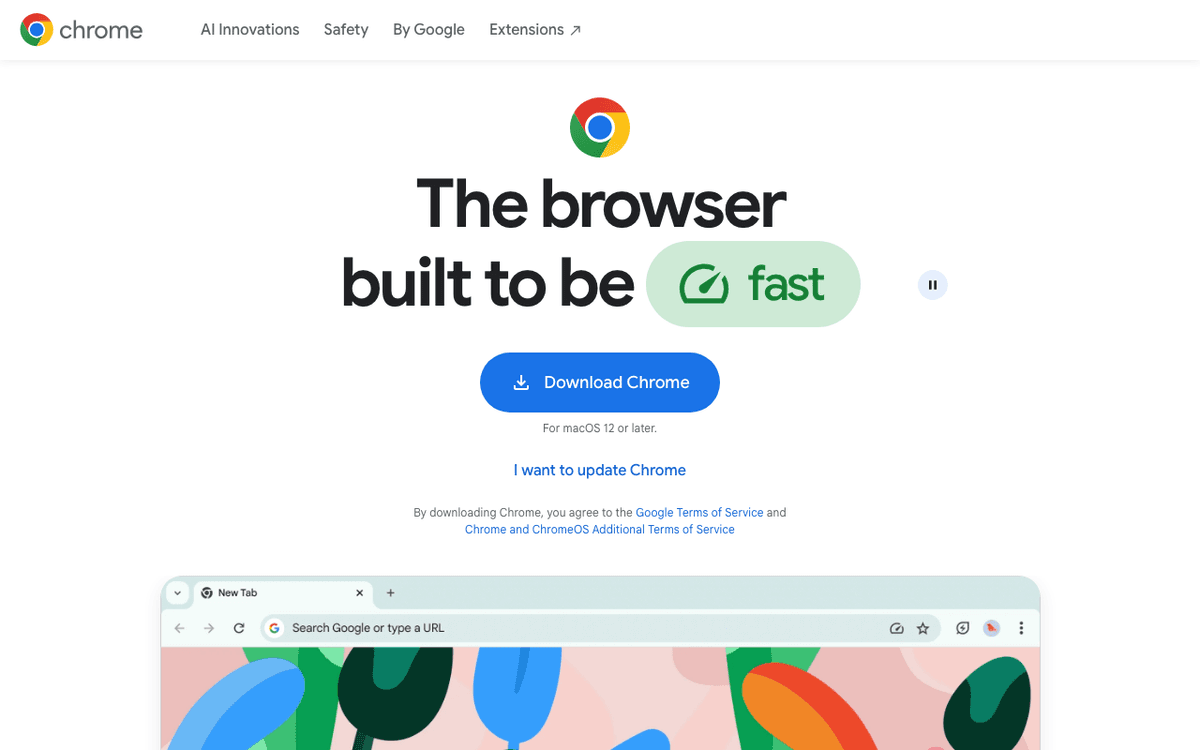
Google Chrome — Official Website
Our Verdict
For most Mac users in 2026, Google Chrome is the better choice for browsers because it is the more widely adopted, better-maintained option in the browsers space. Both install with a single Homebrew command, so the switching cost is low. Choose Safari instead if browser support is your priority.
Feature Comparison
| Feature | Safari | Google Chrome |
|---|---|---|
| Price | Free | Free |
| Open Source | No | No |
| Replaces | — | — |
| Best for | browser, web, apple | browser, google |
| Install | brew install --cask safari | brew install --cask google-chrome |
| Category | Web Browsers | Web Browsers |
Quick Install
brew install --cask safaribrew install --cask google-chromeLearn More
In-Depth Overview
What is Safari?
Safari is Apple’s WebKit browser, shipping with every Mac and tightly bound to iCloud, Keychain, Continuity, and platform privacy features. On macOS Tahoe 26 it remains the efficiency leader for many Apple Silicon laptops: lower background wake churn than a heavily extension-laden Chrome profile and hardware-tuned media paths. Privacy defaults matter as much as benchmarks, Intelligent Tracking Prevention, Link Tracking Protection expansions, and fingerprinting protections enabled more broadly than optional add-ons require. Reader mode, built-in translation, and passkey/password workflows integrate with Apple’s system sheets. Developers still test Safari separately because WebKit is not Chromium; that is either a feature (engine diversity) or a bug (site quirks) depending on your job. For everyday Mac owners who also use iPhone, Safari is the path of least resistance and usually the greenest choice for battery.
What is Google Chrome?
Google Chrome is the dominant Chromium browser, updated on a rapid train, stable desktop builds in the 151.x series by early August 2026 after the Chrome 151 rollout that ended macOS 12 support. It is the compatibility baseline for many SaaS products, the richest desktop extension catalogue, and the default debugging surface for front-end engineers. On Mac it is fully native Apple Silicon, but a busy profile with many tabs and extensions still tends to consume more RAM and energy than Safari. Google account sync makes multi-OS life easy; enterprise policies make it the managed standard in many companies. Privacy is configurable rather than opinionated: you can harden Chrome, yet the defaults and Google account gravity differ from Safari’s ITP-first posture. Choose Chrome when the web must behave exactly like your coworkers’ Windows machines or when an extension is non-negotiable.
Detailed Feature Comparison
Battery & Memory on Mac
CriticalOn Apple Silicon, Safari tends to use less memory and less power for everyday browsing. Background tabs wake less often, fans stay quiet on battery days, and media playback follows hardware paths. That shows up as longer unplugged sessions when the profile is light.
Chrome has improved year over year, but a profile with many tabs and extensions still uses more RAM and power than Safari. Background activity and extension hooks add wake. On wall power you may not notice, on battery you often will.
Verdict: Safari usually wins MacBook endurance.
Privacy Defaults
CriticalIntelligent Tracking Prevention, expanded link-tracking protections and broader fingerprinting defences are on by default in the Tahoe-era Safari line. Add Private Relay with iCloud Plus if you want network-level privacy. You get sensible defaults without hunting for extensions.
Chrome delivers strong security updates, but its business model means tracking controls need more manual hardening. You can lock it down, yet it takes longer to reach Safari's out-of-box posture, and Google account sync adds its own gravity.
Verdict: Safari wins out-of-box privacy on Apple devices.
Extensions
HighSafari supports Web Extensions and the catalogue keeps growing, especially for content blocking and password tools. Some niche or highly specialised Chromium extensions still have no Safari equivalent, and power-user blockers can feel thinner. If your workflow depends on a specific add-on, check its Safari build first.
Chrome has the largest desktop extension catalogue by a wide margin, with many niche tools and enterprise force-install options. For power users who live in extensions, that depth is the reason to keep Chrome around.
Verdict: Chrome wins extensions decisively.
Cross-Platform Sync
HighSafari syncs well inside the Apple world, history, tabs and keys via iCloud across Mac, iPhone and iPad. Once you need full Windows or Linux parity, that story thins, and you end up juggling two browsers. For Apple-only households it is smooth enough to disappear.
Chrome sync is the same across Mac, Windows, Linux and Android. One account brings bookmarks, history, passwords and settings to every desktop, which matters if you support mixed fleets or share a machine with different OSes.
Verdict: Chrome wins multi-OS continuity.
Web App & Site Compatibility
HighSafari tracks modern web standards Apple ships and handles most sites cleanly. A few SaaS products still test primarily against Chromium, so you may hit the occasional layout or feature quirk that needs a second browser to confirm.
Chrome is the de facto test target for most web apps in 2026. If a product says it supports Chrome, it usually does, and enterprise apps often assume Chromium behaviour. That maximises the chance that a site just works.
Verdict: Chrome maximises 'it just works' for SaaS.
Developer Tools
MediumWeb Inspector covers the essentials and is required for WebKit-specific bugs. You will need it if you ship to iPhone, since every iOS browser uses WebKit underneath. For daily Safari QA it is sufficient.
Chrome DevTools remains the default for most web development, from performance profiling to debugging framework code. Most front-end docs assume it, and team workflows are built around it. Keep Safari handy for cross-engine checks.
Verdict: Chrome for daily webdev; still keep Safari for WebKit QA.
Apple Ecosystem Integration
HighHandoff, iCloud Keychain, Apple Pay, Continuity Camera and system share sheets are all first-class in Safari. Passwords and passkeys flow with iCloud, tabs move to iPhone, and system features feel native because they are. That integration is a big part of Safari's appeal on a Mac.
Chrome is a solid Mac citizen and runs natively on Apple Silicon, but it is not wired into Apple services the same way. You can use it for everything, yet Handoff and Keychain continuity will not be there. Many people sign into Google instead.
Verdict: Safari is the Apple browser.
Enterprise Management
MediumMac fleet tools can manage Safari via MDM and system policies, but feature coverage is narrower than Chrome's. For small Apple-only fleets it is adequate; for heterogeneous fleets, you will likely standardise elsewhere. Safari versioning follows macOS, which adds another constraint.
Chrome Browser Cloud Management and policy templates are mature, with force-install for extensions, site allow lists and update controls. Large organisations often standardise on Chrome because the admin surface is well documented and widely supported.
Verdict: Chrome wins large fleet policy depth.
Who Should Choose Which?
1MacBook Air student
Battery and simplicity beat extension maximalism.
2Front-end engineer
DevTools + Chromium parity; keep Safari for QA.
3Privacy-first journalist
Defaults reduce tracker load without constant extension babysitting.
4Multi-OS consultant
Same bookmarks and behaviour on client Windows PCs.
5iPhone + Mac only household
Handoff and Keychain continuity.
6Enterprise Google Workspace fleet
Policy management and support norms.
Migration Guide
Safari → Google Chrome
Import bookmarks/passwords, install essential extensions, sign into Chrome sync, then recreate profiles for work/personal separation.
Google Chrome → Safari
Export bookmarks, move passwords to iCloud Keychain carefully, identify extension replacements (or drop them), and retest critical SaaS apps for WebKit quirks.
Pro Tips
Many Mac users keep Safari as default and Chrome as the 'compatibility browser' for stubborn sites, that dual setup remains rational in 2026.
Final Verdict
Depends on ecosystem
Winner
Runner-up
Safari takes the Mac-native corner, efficient and private by default. Chrome takes the cross-platform and extension corner, with the widest catalogue and the behaviour most sites are tested against. Scores stay close because they optimise for different needs, not because they are the same product. Chrome's train has moved to 151 and Monterey support is done, Safari's efficiency and tracking prevention still hold on Apple Silicon. Pricing pages and release notes were checked in August 2026, and the decision matrix has not changed shape since May. The matrix has not shifted much since May. Monterey support ending and the 151 train arriving do not change the core trade, Safari for Mac-native efficiency and privacy, Chrome for cross-platform extension power and SaaS coverage. If battery life or tracking protections are the daily complaint, Safari addresses it with less fiddling. If extensions or identical behaviour across OSes is the complaint, Chrome addresses it without compromise.
Bottom Line: Default to Safari if you live in the Apple world and care about battery and defaults. Keep Chrome installed when work demands Chromium or a specific extension, and switch defaults only when that extension or cross-OS sync is the daily pain.
Video Tutorials
How to Download Google Chrome on Mac - Install Chrome on Macbook
Gauging Gadgets • 925.6K views
Pink Google Chrome Tutorial 💘#macbookair
isiomavlogs • 629.0K views
How To Install Google Chrome on Your MacBook? (Beginners Guide)
Tech Bunny • 22.1K views
How To Install Google Chrome on MacBook (M1 | M2 | M3 | MacBook Pro | MacBook Air)
ProgrammingKnowledge2 • 55.1K views
Frequently Asked Questions
About the Author

Explore More on Bundl
Browse browsers apps, read our complete guide, or discover curated bundles.
Sources & References
Fact-CheckedLast verified: Aug 9, 2026
Key Verified Facts
- Chrome stable desktop updates in early August 2026 include 151.0.7922.x builds for Mac.[cite-chrome-releases]
- Chrome 151 ends support for macOS 12 Monterey; Chrome 150 was the last Monterey-compatible line.[cite-chrome-monterey, cite-chrome-enterprise-notes]
- Safari ships Intelligent Tracking Prevention and platform privacy features as core browser behaviour on Apple devices.[cite-safari-apple, cite-webkit]
- macOS Tahoe 26 positioned productivity and intelligence upgrades across Apple apps including browsing-adjacent workflows.[cite-tahoe-newsroom]
- 1Safari — Apple
Accessed Aug 9, 2026
- 2WebKit blog / ITP materials
Accessed Aug 9, 2026
- 3Chrome Releases blog
Accessed Aug 9, 2026
- 4Chrome ending macOS Monterey support
Accessed Aug 9, 2026
- 5Chrome Enterprise release notes hub
Accessed Aug 9, 2026
- 6macOS Tahoe 26 Newsroom
Accessed Aug 9, 2026
- 7Google Chrome download
Accessed Aug 9, 2026
Research queries: Safari vs Chrome Mac 2026 battery privacy; Chrome 151 macOS Monterey support; Safari Tahoe fingerprinting protection