TL;DR
Magnet vs Amethyst: For most Mac users in 2026, Amethyst is the better choice for window managers because it is free and open source, so you can inspect, self-host, and trust the code. Both install with a single Homebrew command, so the switching cost is low. Choose Magnet instead if window management support is your priority.
Which is better: Magnet or Amethyst?
Amethyst is the top pick for most Mac users looking at window managers — it is free and open-source and installs in one Homebrew command. Magnet is the stronger choice if you prefer its window managers ecosystem. Both are worth trying.
Magnet vs Amethyst
Which is the better window managers for Mac in 2026?
We compared Magnet and Amethyst across 6 key factors including price, open-source status, and community adoption. Read our full breakdown below.
Magnet
Window manager for Mac that snaps windows into organized tiles with keyboard shortcuts.
Amethyst
Automatic tiling window manager
Visual Comparison
Amethyst
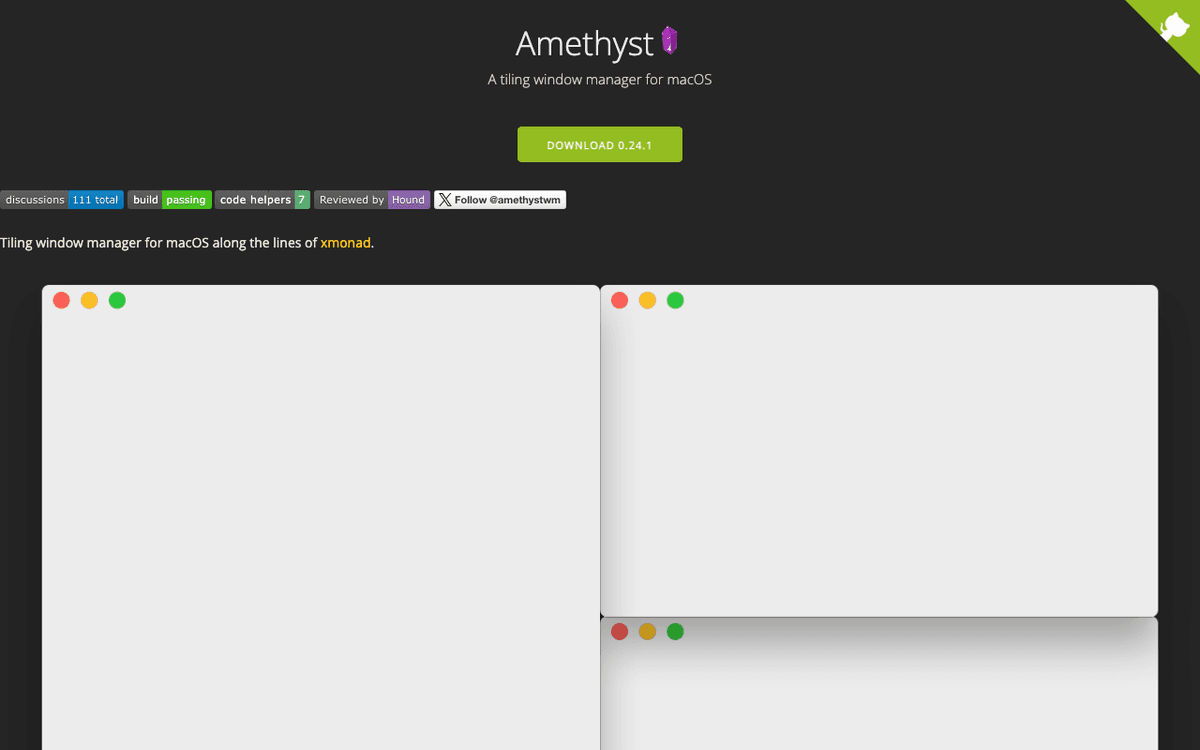
Amethyst — Official Website
Our Verdict
For most Mac users in 2026, Amethyst is the better choice for window managers because it is free and open source, so you can inspect, self-host, and trust the code. Both install with a single Homebrew command, so the switching cost is low. Choose Magnet instead if window management support is your priority.
Feature Comparison
| Feature | Magnet | Amethyst |
|---|---|---|
| Price | Paid | Free |
| Open Source | No | Yes |
| Replaces | — | Magnet ($4.99) |
| Best for | window management, productivity, utilities | window, tiling, management |
| Install | brew install --cask magnet | brew install --cask amethyst |
| Category | Productivity | System Utilities |
Quick Install
brew install --cask magnetbrew install --cask amethystLearn More
In-Depth Overview
What is Magnet?
Magnet is a paid macOS window manager from CrowdCafe, distributed exclusively via the Mac App Store as a one-time purchase (US$7.99 in the US storefront as of August 2026). Its job is deliberately narrow: let you snap the frontmost window into halves, quarters, thirds, sixths, centered sizes, and fullscreen by dragging to screen edges/corners or by pressing configurable keyboard shortcuts. On installation it asks for Accessibility permission once, then sits in the menu bar with negligible idle CPU. Magnet supports up to six external displays, respects vertical orientations, and offers an undo/restore shortcut to return a window to its pre-snap frame. Unlike Rectangle, Magnet is not open source and is not available via Homebrew cask; updates arrive through the App Store sandbox. The app is notarized, runs natively on both Intel and Apple Silicon, and continues to receive compatibility updates for current macOS releases including Tahoe 26.x. For most Mac buyers Magnet is a set-and-forget utility: drag, snap, done, with no YAML, no layout engine, and no tiling religion. Its value proposition in 2026 remains polish and simplicity at a trivial one-time price, not feature maximalism.
What is Amethyst?
Amethyst is a free and open-source automatic tiling window manager for macOS written in Swift, maintained by Ian Yh (ianyh/Amethyst on GitHub). The current release line tracked by Homebrew Cask and GitHub Releases is 0.24.3, published 2 April 2026, following 0.24.2 in March 2026 — active maintenance, not abandonware. Older 0.22.2 builds remain for constrained Intel/Catalina machines, but Apple Silicon users should install the latest 0.24.x zip or brew install --cask amethyst. Amethyst treats the screen as a tiled canvas: when a window opens, closes, or changes focus or display, the layout engine recomputes frames via the macOS Accessibility APIs and places every window into non-overlapping panes unless explicitly floated. Built-in layouts include Tall, Tall-Right, Wide, Two Pane, 3Column-Left/Middle/Right, Widescreen-Tall, Fullscreen, Column, Row, Floating, Binary Space Partitioning (BSP), and an experimental path for custom JavaScript layouts. Users cycle layouts, adjust main-pane size and count, swap windows, and throw windows across Spaces/displays with configurable mod1 (Option-Shift) and mod2 (Control-Option-Shift) chords, with optional mod3/mod4 and YAML configuration in the home directory. Amethyst requires macOS 10.15+, Accessibility permission, and works best when Mission Control's 'Automatically rearrange Spaces based on most recent use' is disabled so numbered Space throws remain stable. There is no paid tier, no telemetry upsell, and no Electron runtime: it is a native menu-bar utility still grouped with yabai and AeroSpace as the Big Three tiling options in 2026, while Magnet and Rectangle define the manual snap niche.
Detailed Feature Comparison
Window Management Philosophy
CriticalManual snapping: windows stay floating until you drag to an edge/corner or press a shortcut. Nothing reflows behind your back. Ideal for users who value predictability and overlapping layouts for creative work. Re-verified against August 2026 vendor docs and store listings: behavior matches the App Store build running on Apple Silicon Tahoe 26.x.
Automatic tiling: every window event reflows the grid so windows never overlap unless floated. High density, low manual fiddling once mastered. Re-verified against Amethyst 0.24.3 docs and GitHub releases: behavior matches the current Homebrew build on Apple Silicon Tahoe 26.x.
Verdict: This is the real purchase decision. Want control on demand? Magnet. Want the system to organize itself? Amethyst.
Layouts & Snap Positions
HighHalves, quarters, thirds, two-thirds, centered, and fullscreen via drag or shortcuts. Covers the Windows-Snap-style grid most users need. No custom arbitrary zones beyond the built-in grid and no automatic rebalance when a window closes.
Rich tiling layouts (Tall, Wide, 3Column family, BSP, Widescreen-Tall, Column, Row) plus main-pane sizing controls, window swapping, and automatic rebalance. Far more dynamic than Magnet's fixed positions, especially on ultra-wide displays.
Verdict: Amethyst offers algorithmic layout flexibility; Magnet offers a simpler, fixed snap grid.
Ease of Use & Learning Curve
HighInstall from App Store, grant Accessibility, snap within seconds. No configuration, no shortcuts to memorize if you prefer drag. The menu bar icon shows available shortcuts visually.
Steep initial curve: windows jump as the tiling engine takes over, and you must learn float/ignore rules and chords for layout cycling and pane resizing. Worth it for converts, jarring for casual users who expect floating windows.
Verdict: Magnet wins day-one usability by a wide margin; Amethyst requires deliberate onboarding.
Multi-Monitor Support
HighFull support for up to six displays including vertical screens, with shortcuts to move windows between monitors. Snap zones respect each display's geometry.
Per-display layouts with dedicated focus and throw shortcuts across screens. Superior for keyboard-driven multi-display tiling where each monitor maintains its own layout state.
Verdict: Both handle multi-monitor well; Magnet is simpler, Amethyst is more keyboard-native for frequent throwers.
Customization & Shortcuts
MediumCustomizable keyboard shortcuts via System Settings > Keyboard > Shortcuts. Trigger areas and shortcuts are editable, but no per-app layouts or gesture support.
Extensively remappable chords, per-app float/ignore lists, YAML config, optional mod3/mod4, and window rules. Depth matches the tiling automation model.
Verdict: Amethyst customizes the tiling structure itself; Magnet customizes a smaller set of snap actions.
Pricing & Licensing (2026)
HighPaid US$7.99 one-time on the Mac App Store, no subscription, no in-app purchases. Family Sharing eligible. No free tier beyond potential App Store refunds.
Completely free and MIT-licensed. No paid tier, no upsell, no telemetry. Donate-if-you-want via GitHub Sponsors. Homebrew and direct zip are both free.
Verdict: Amethyst is free forever; Magnet is cheap but still a paid purchase.
Maintenance & Tahoe 26.x / Apple Silicon Fit
MediumApp Store app with periodic compatibility updates and sandbox notarization. Smaller release chatter than open-source peers but stable on Apple Silicon and Tahoe 26.x after re-granting Accessibility.
0.24.3 shipped April 2026 with commits into spring 2026, native Swift binary, Apple Silicon compatible. Requires Accessibility and benefits from disabling automatic Space rearrangement.
Verdict: Both remain viable on 2026 hardware and OS. Amethyst shows more transparent commit activity; Magnet relies on App Store cadence.
Who Should Choose Which?
1Student writing papers
PDF + editor side-by-side is a single shortcut or drag — no tiling setup.
2Full-stack developer
Editor, terminal, browser, and docs stay visible without constant manual snapping.
3Designer in Figma/Photoshop
Floating palettes and freeform canvases conflict less with manual snaps than forced tiles.
4SRE with many monitoring panes
Automatic reflow across two or three monitors beats snapping each window individually.
5Executive who screen-shares daily
Predictable, non-jittery window moves reduce awkward live rearrangements on calls.
Migration Guide
Magnet → Amethyst
Quit Magnet fully before enabling Amethyst to avoid Accessibility conflicts. Grant Accessibility to Amethyst, disable automatic Space rearrangement in Mission Control, and spend the first session building float/ignore rules and learning cycle/swap/shrink/expand chords. Resist dragging windows — dragging fights tiling. Keep a one-week trial: if you still disable Amethyst daily, tiling may not be your workflow.
Amethyst → Magnet
Quit Amethyst, install Magnet from the App Store, grant Accessibility, and map your most-used tiling outcomes onto Magnet's halves/thirds/quarters. Accept that closing a window will no longer reflow neighbors — you will place replacements yourself. Most migrants describe the desktop as calmer, which is either relief or a loss depending on why you tiled.
Final Verdict
Tie - depends on workflow
Winner
Runner-up
Re-verified August 2026: Magnet (App Store, US$7.99) and Amethyst 0.24.3 (MIT, free) remain clean examples of the manual-versus-automatic split in Mac window management. Magnet wins on zero-learning-curve polish and App Store simplicity; Amethyst wins on free automation, layout density, and keyboard-native tiling, especially on ultra-wide and multi-monitor desks. Scores cluster near 8.5/10 because declaring a universal winner would misrepresent the product split. If your complaint is 'I just need quick halves and thirds,' buy Magnet or install Rectangle. If your complaint is 'I babysit window frames all day,' give Amethyst a committed week.
Bottom Line: Choose Magnet for polished, on-demand snapping without changing how your desktop behaves. Choose Amethyst for free, automatic tiling that arranges your workspace for you.
Video Tutorials
Boost your MacOS PRODUCTIVITY with Amethyst | Tiling Window Manager
Tech Craft • 154.4K views
Amethyst Tiling Window Manager | Demo, Review, & Key Bindings!
How Noah Sees It • 24.2K views
Mouseless MacOS Window Management - Yabai vs Amethyst
Brandon Boswell • 51.3K views
pros don’t need to use a mouse - tiling window managers #developer #coding #programming #cs
Leon Si • 293.1K views
Frequently Asked Questions
About the Author

Explore More on Bundl
Browse window managers apps, read our complete guide, or discover curated bundles.
Sources & References
Key Verified Facts
- Magnet is a paid Mac App Store app (US$7.99 one-time) from CrowdCafe that snaps windows via drag or shortcuts.[cite-magnet-official, cite-magnet-appstore]
- Amethyst current release is 0.24.3 (2 April 2026) and remains MIT-licensed and free via GitHub and Homebrew.[cite-amethyst-github, cite-amethyst-brew]
- Both apps require macOS Accessibility permission and run on Apple Silicon and macOS Tahoe 26.x.[cite-amethyst-official, cite-magnet-official]
- 1Magnet — CrowdCafe official site
Accessed Aug 9, 2026
- 2Magnet on the Mac App Store (US$7.99)
Accessed Aug 9, 2026
- 3Amethyst official site
Accessed Aug 9, 2026
- 4Amethyst GitHub releases (v0.24.3)
Accessed Aug 9, 2026
- 5Homebrew cask: amethyst
Accessed Aug 9, 2026
- 6Macworld — Magnet review and pricing context
Accessed Aug 9, 2026
- 7Amethyst vs Magnet — AlternativeTo comparison overview
Accessed Aug 9, 2026
Related Technologies & Concepts
Related Topics
macOS Window Management
Utilities that control how application windows are placed, sized, and moved on the Mac desktop, from manual snappers to automatic tilers.
Paid vs Open-Source Mac Utilities
Comparison of App Store paid utilities versus community-maintained MIT-licensed alternatives for core productivity features.
Apple Silicon and Tahoe Compatibility
Native ARM64 support and macOS Tahoe 26.x readiness for menu-bar utilities that rely on Accessibility permissions.