TL;DR
Google Meet vs Zoom: For most Mac users in 2026, Zoom is the better choice for video conferencing because it is free while Google Meet charges for full use. Both install with a single Homebrew command, so the switching cost is low. Choose Google Meet instead if video calls support is your priority.
Which is better: Google Meet or Zoom?
Zoom is the top pick for most Mac users looking at video conferencing — it is free and installs in one Homebrew command. Google Meet is the stronger choice if you prefer its video conferencing ecosystem. Both are worth trying.
Google Meet vs Zoom
Which is the better video conferencing for Mac in 2026?
We compared Google Meet and Zoom across 6 key factors including price, open-source status, and community adoption. Read our full breakdown below.
Google Meet
Google's video conferencing app for secure, high-quality meetings and collaboration.
Zoom
Video conferencing and web conferencing
Visual Comparison
Zoom
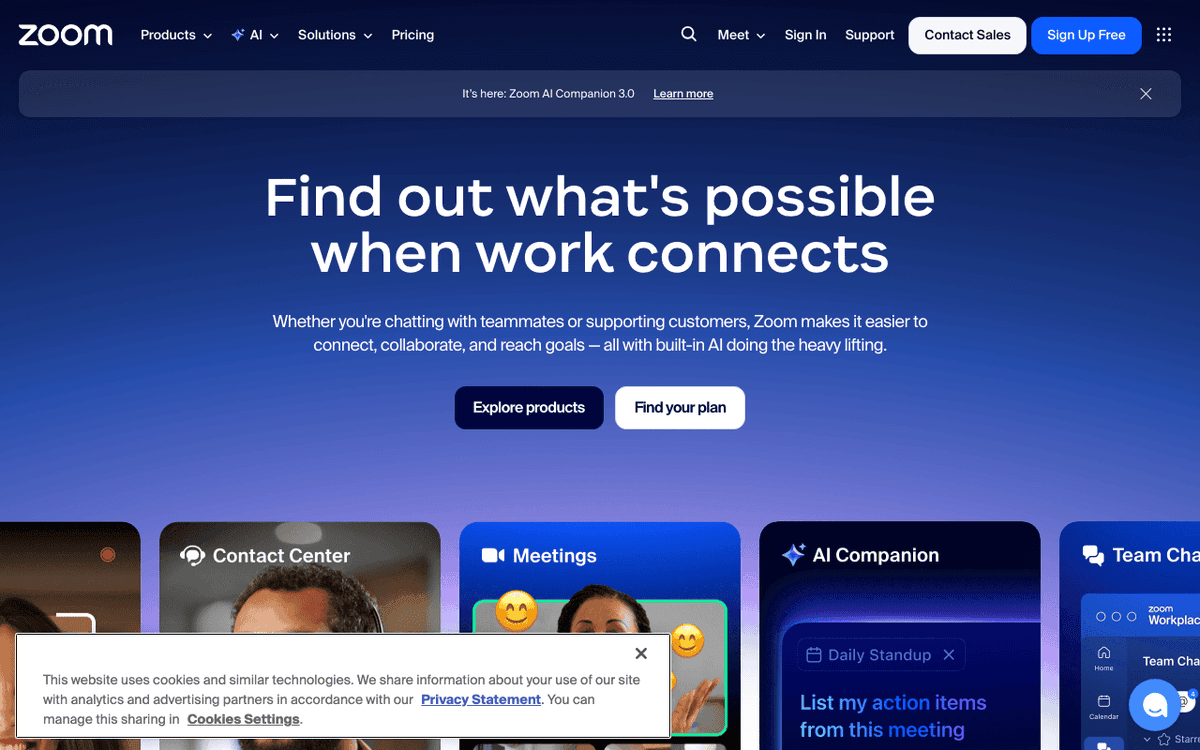
Zoom — Official Website
Our Verdict
For most Mac users in 2026, Zoom is the better choice for video conferencing because it is free while Google Meet charges for full use. Both install with a single Homebrew command, so the switching cost is low. Choose Google Meet instead if video calls support is your priority.
Feature Comparison
| Feature | Google Meet | Zoom |
|---|---|---|
| Price | Paid | Free |
| Open Source | No | No |
| Replaces | — | GoToMeeting ($14/month) |
| Best for | video calls, meetings, google | video, meeting, conferencing |
| Install | brew install --cask google-meet | brew install --cask zoom |
| Category | Communication | Communication |
Quick Install
brew install --cask google-meetbrew install --cask zoomLearn More
In-Depth Overview
What is Google Meet?
Google Meet is the video conferencing service tied to Calendar, Gmail, Chat and Drive. Consumer accounts get solid free meetings with a 60-minute group limit. Workspace editions raise caps and unlock recording, noise cancellation, attendance tools and Gemini meeting help depending on tier. US Workspace plan names and prices in 2026 centre on Business Starter around $7 annual, Standard around $14 annual, Plus around $22 annual and Enterprise custom, with Meet participant caps of 100, 150, 500 and 1000 on those business rungs. Strengths are one-click Calendar joins, browser-first reliability, admin controls shared with Workspace and clear value when the suite is already purchased. The trade-offs against Zoom are a weaker standalone webinar and events product, a less mature telephony and Rooms ecosystem for some enterprises, and advanced AI meeting features that are gated to higher Workspace SKUs. Mac users can join through the browser or the Meet app. Performance on Apple Silicon is solid for standard HD meetings. For procurement, check Workspace editions for participant caps, recording retention and where Gemini help is gated before you promise AI notes company-wide. Where Meet saves time is the calendar link: schedule in Calendar, join from Gmail or Calendar, no separate client install for guests. Screen share on strong 5 GHz or Wi-Fi 6E and wired Ethernet is recommended when you share high-resolution design files. Attendance and polling help live sessions, though host needs vary by team size. Live captions and translated captions help external calls, with Gemini summaries available on higher tiers where licensed. Mac joins are browser-first and straightforward, with a lightweight app option when you prefer it. Admin controls in Workspace handle attendance, recording permissions and data region needs without a second console. For live broadcasts, Workspace Plus and Enterprise unlock larger audiences and admin controls. The scheduling link stays predictable across personal and business accounts.
What is Zoom?
Zoom Workplace is the meetings-centred suite with Meetings, Team Chat, Whiteboard, Clips, Mail and Calendar options, Phone, Webinars and Rooms. Basic stays free with the familiar 40-minute group limit and 100 participants. Paid Pro removes the short limit with up to 30-hour meetings, adds cloud recording storage and unlocks broader AI Companion usage that is capped on free. Business lifts participant caps to 300 with admin SSO and domain tools, Enterprise scales to 500 and more with compliance and telephony options. Exact US list prices move by region and promotion, with annual Pro commonly in the mid-teens per user per month in 2026 analyses. Strengths are meeting reliability, host controls, webinars and events, hardware Rooms and AI Companion breadth. The limits are incremental cost if you already own Workspace and feature sprawl that needs admin curation. The Zoom desktop client on the Mac stays actively maintained for Apple Silicon and Tahoe. For procurement, confirm Zoom pricing footnotes for AI Companion caps, local versus cloud recording quotas, and how Business and Enterprise gate SSO and compliance. Where Zoom saves time is the host console: templates, waiting rooms and breakout assignments that scale when you run many events. Screen share on wired or strong 5 GHz links avoids the frame drops that hurt design reviews, regardless of which app you pick. Polling, Q&A and breakout tools add value when a single host runs a large session. Live captions, hand raise and polling are standard, with AI Companion summaries gated by plan. Mac joins are reliable through the native client, with browser fallback when a guest cannot install. Admin controls in Zoom handle scheduling, recording and security with SSO on Business and above. For live broadcasts, Business and Enterprise unlock larger audiences with registration and reporting. The meeting link stays predictable across hosts and plans.
Detailed Feature Comparison
Meeting reliability and host controls
CriticalStable browser and app joins with solid host tools; fewer niche moderator features than Zoom for very large events. Reliability is high on good networks; very large events show the difference most.
Industry-default host controls, waiting rooms, breakout rooms, and large-meeting muscle memory across industries. That muscle memory matters when you host webinars weekly.
Verdict: Zoom remains the control-surface leader, especially for large moderated events.
Free tier usefulness
High60-minute free group meetings beat Zoom's 40-minute free group cap for longer casual calls. Useful for casual hour-long calls without paying.
40-minute free group limit still forces Pro for serious free-tier workshops. Fine for 1:1 and short huddles, limiting for workshops.
Verdict: Meet free tier is more generous on duration.
AI meeting assistance
HighGemini-powered notes, summaries, and translations expand on Workspace Standard and above; lower tiers are thinner. Check your Workspace SKU before you promise summaries to a team.
AI Companion summaries, queries, and notes are a paid-plan highlight with clear free caps. Caps are clearer for teams that only buy meetings.
Verdict: Zoom's AI Companion packaging is clearer for meeting-only buyers.
Suite integration
CriticalNative Calendar, Gmail, Drive recording storage, Chat, and Docs collaboration. That includes recording in Drive and related Chat and Docs ties.
Integrates with Google and Microsoft calendars; suite depth is Zoom-centric rather than full office suite. Within Zoom the ties are Meetings, Chat, Whiteboard and Phone.
Verdict: Meet wins inside Workspace where Calendar, Drive and admin do the heavy lifting.
Webinars and large events
HighLive streaming and large participant caps exist on high Workspace tiers but webinar product marketing trails Zoom. Streaming is available, but Zoom's event product is more buttoned up.
Mature Webinars, registration, and event add-ons remain a Zoom stronghold. Registration, Q&A and follow-up are part of the same flow.
Verdict: Events teams still default to Zoom.
Hardware rooms
MediumGoogle Meet hardware partners cover many rooms; ecosystem smaller than Zoom Rooms in some markets. Coverage varies by market.
Zoom Rooms and broad device certification dominate enterprise room fleets. IT teams value the certification breadth when equipping many rooms.
Verdict: Zoom wins rooms.
Pricing for meeting-only teams
HighBuying Workspace solely for Meet can cost more than needed if you do not want Gmail/Drive seats. That cost only makes sense if you use Gmail and Drive.
Standalone Pro seats map cleanly to meeting hosts without forcing a full office suite. Host count maps directly to cost.
Verdict: Pure meeting buyers usually prefer Zoom licensing.
Security and admin
HighInherits Workspace admin, DLP, and identity controls on upper editions. The controls inherit from Workspace identity and retention.
Strong meeting security features, SSO on Business+, and enterprise compliance options. SSO arrives on Business and higher, with enterprise compliance options above that.
Verdict: Both can meet enterprise bars on proper tiers.
Who Should Choose Which?
1Google-first SME
Seats already paid; Calendar workflow wins. Internal scheduling stays in Calendar and recording lands in Drive where retention already exists. Most meetings are scheduled from Calendar, so the join flow stays consistent.
2Public webinar business
Registration and webinar tooling are mature. Registration, event add-ons and attendance tools are more specialised than Meet's streaming option. The difference shows in registration pages and post-event reports.
3Hybrid education
Workspace for Education + Meet is a common bundle. Workspace for Education plus Meet is a common bundle that keeps classroom, mail and meetings in one tenant.
4Hardware room campus
Zoom Rooms ecosystem and IT playbooks. Zoom Rooms playbooks and device certification simplify fleets at scale.
5External sales demos
Guest familiarity and host controls reduce friction. Guest familiarity and predictable host controls reduce failed starts on first calls.
6Non-profit on tight budget
If eligible for Workspace non-profit pricing, Meet is economical; also check Zoom non-profit discounts. If Workspace non-profit pricing is available, Meet is economical. Check Zoom non-profit discounts as well before you decide.
Migration Guide
From_google Meet → Zoom
Export recurring Calendar events carefully; replace Meet links with Zoom schedule-add-ins. Train hosts on waiting rooms and recording locations. Migrate Drive recordings intentionally for retention policies. If you use Gemini summaries, rebuild that step with AI Companion and decide where transcripts live. Keep Calendar interop during the switch so invites do not break, and archive Drive recordings you must retain.
From_zoom → Google Meet
Connect Workspace calendars, rebuild webinar processes with Meet live stream alternatives, and retrain external guests on Meet join UX. Rehome cloud recordings to Drive. Where you relied on webinar registration, rebuild with Meet live stream alternatives and train external guests on the new join flow. Rebuild waiting room and recording rules in Workspace admin so the meeting hygiene you had in Zoom carries over.
Final Verdict
zoom
Winner
Runner-up
Zoom remains the overall winner for a dedicated meeting platform: webinars, Rooms, host controls, and AI Companion packaging. Google Meet scores nearly as high for Workspace-native organisations where price and Calendar integration dominate. The May framing still holds-Zoom for meeting depth, Meet for suite value-with 2026 pricing refreshed around Workspace $7/$14/$22 annual rungs and Zoom's freemium Workplace ladder. Pricing is refreshed around Workspace $7, $14 and $22 annual rungs and Zoom's freemium Workplace ladder, but the underlying split is unchanged. Zoom leads on host controls and events, Meet leads on value when the suite is already in place, and the choice holds until pricing or AI packaging changes. Many organisations hedge with both, measuring join reliability for external guests and searchability of recordings before they commit. Test with your own schedule density. Internal standups favour Meet inside Workspace, customer-facing webinars favour Zoom. Suitability tracks suite and event brief more than raw meeting quality. Confirm bumps on zoom.us and Workspace pricing before you commit to seats.
Bottom Line: Pick Zoom when meetings are the product and events need registration. Pick Meet when Google Workspace is the platform and Calendar owns scheduling. A hybrid where Meet covers internal Calendar meetings and Zoom handles external webinars is common and rational. Check participant caps and recording retention against your largest meetings.
Video Tutorials
How to Zoom Your Mac Screen #Shorts
Computer Clan Shorts • 77.9K views
HOW To Use ZOOM On a MAC
tbonepearson • 81.0K views
Zoom Tutorial for Beginners on Mac (How to Use) & PC | 2020 | App Hacks, Tips and Tricks
Tim Harris AI • 5.9K views
How to Use Zoom on Mac
Dexter Tutorials • 67.5K views
Frequently Asked Questions
About the Author

Explore More on Bundl
Browse video conferencing apps, read our complete guide, or discover curated bundles.
Sources & References
Fact-CheckedLast verified: Aug 9, 2026
Key Verified Facts
- Google Workspace Business Starter is about $7/user/month on annual US pricing with Meet included at 100 participants.[cite-gw-pricing, cite-gw-editions]
- Workspace Business Standard is about $14/user/month annually and adds Meet recording and 150-participant meetings.[cite-gw-pricing]
- Zoom Basic free plan limits group meetings to 40 minutes with 100 participants.[cite-zoom-pricing]
- Zoom paid Pro plans extend meetings up to 30 hours and include broader AI Companion usage than Basic.[cite-zoom-pricing]
- Zoom Business raises meeting participant capacity to 300; Enterprise scales higher with additional compliance options.[cite-zoom-pricing]
- 1Zoom Workplace Pricing
Accessed Aug 9, 2026
- 2Google Workspace Pricing
Accessed Aug 9, 2026
- 3Compare flexible and annual Workspace plans
Accessed Aug 9, 2026
- 4Business editions getting started
Accessed Aug 9, 2026
- 5Google Meet product
Accessed Aug 9, 2026
- 6Google Meet vs Zoom comparison notes
Accessed Aug 9, 2026
- 7Zoom Pricing 2026 analysis
Accessed Aug 9, 2026
Research queries: Zoom pricing 2026; Google Workspace Meet pricing; Zoom AI Companion; Google Meet participants