TL;DR
DaVinci Resolve vs Final Cut Pro: For most Mac users in 2026, DaVinci Resolve is the better choice for video editing because it is free while Final Cut Pro charges for full use. Both install with a single Homebrew command, so the switching cost is low. Choose Final Cut Pro instead if video editing support is your priority.
Which is better: DaVinci Resolve or Final Cut Pro?
DaVinci Resolve is the top pick for most Mac users looking at video editing — it is free and installs in one Homebrew command. Final Cut Pro is the stronger choice if you prefer its video editing ecosystem. Both are worth trying.
DaVinci Resolve vs Final Cut Pro
Which is the better video editing for Mac in 2026?
We compared DaVinci Resolve and Final Cut Pro across 6 key factors including price, open-source status, and community adoption. Read our full breakdown below.
DaVinci Resolve
Professional video editing and color grading
Final Cut Pro
Apple's professional video editing software with magnetic timeline and advanced color grading.
Visual Comparison
DaVinci Resolve
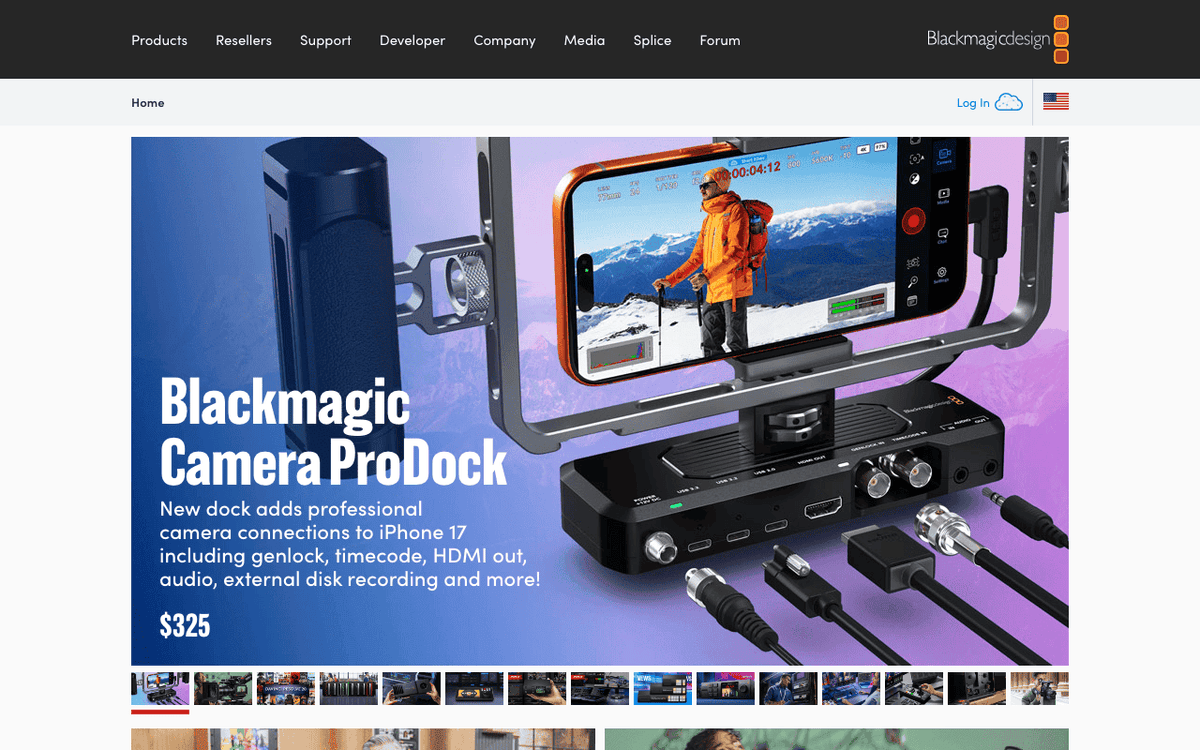
DaVinci Resolve — Official Website
Our Verdict
For most Mac users in 2026, DaVinci Resolve is the better choice for video editing because it is free while Final Cut Pro charges for full use. Both install with a single Homebrew command, so the switching cost is low. Choose Final Cut Pro instead if video editing support is your priority.
Feature Comparison
| Feature | DaVinci Resolve | Final Cut Pro |
|---|---|---|
| Price | Free | Paid |
| Open Source | No | No |
| Replaces | Final Cut Pro ($299.99) | — |
| Best for | video editing, color grading | video editing, apple, film |
| Install | brew install --cask davinci-resolve | brew install --cask final-cut-pro |
| Category | Media & Entertainment | Media & Entertainment |
Quick Install
brew install --cask davinci-resolvebrew install --cask final-cut-proLearn More
In-Depth Overview
What is DaVinci Resolve?
DaVinci Resolve is Blackmagic Design's professional post-production application combining nonlinear editing, Hollywood-grade colour correction, Fusion visual effects and motion graphics, Fairlight audio post, delivery tools, and, as of Resolve 21, a Photo page that applies DaVinci colour science to stills. It runs on Mac, Windows, and Linux, with free and Studio editions. The free version already includes multi-user collaboration features and HDR grading within documented resolution and frame-rate limits (roughly UHD at up to 60 fps for common 8-bit formats on free; Studio unlocks higher ceilings and Neural Engine tools). Studio is listed at $295 one-time on Blackmagic's site. Resolve 21's public whats-new material emphasises the Photo page, AI helpers such as IntelliSearch and CineFocus-class tools, Fusion/Krokodove motion graphic expansions, and Fairlight folder and track management polish. Mac users on Apple Silicon get serious performance when media, proxies, and GPU settings are configured correctly. Resolve is heavier than Final Cut but can replace multiple specialised apps. Before a major macOS upgrade weekend, read Blackmagic's current system requirements; GPU and OS pairings matter more for video than for typical productivity software.
What is Final Cut Pro?
Final Cut Pro is Apple's professional video editor for Mac, sold as a $299.99 one-time Mac App Store purchase and also offered through Apple Creator Studio ($12.99/month or $129/year in US storefront messaging) that bundles Final Cut with Logic Pro, Pixelmator Pro, Motion, Compressor, MainStage and related tools. Some premium content differs between subscription and one-time ownership, so check Apple's current comparison for your region. Final Cut is famous for the Magnetic Timeline, roles-based audio organisation, compound clips, and deep optimisation for Apple Silicon and macOS media engines. Modern Final Cut builds include Magnetic Mask, Object Tracker, Visual Search, Transcript Search, Smooth Slo-Mo, automatic captions, Voice Isolation, and Beat Detection for music-driven edits. Final Cut does not try to be a full Fusion plus Fairlight plus colour suite in one window the way Resolve does. It partners with Motion and Compressor and leans on third-party effects ecosystems. For editors who live on Mac and ship social, branded, or documentary cuts quickly, Final Cut's responsiveness remains the reason people refuse to leave. A separate Final Cut Pro for iPad product exists for touch-first work; it is not a free Mac substitute. Before a major macOS upgrade, check Apple's Final Cut system requirements and release notes rather than assuming last year's configuration still holds.
Detailed Feature Comparison
Editing Timeline Philosophy
CriticalTraditional track-based Edit page plus the speed-oriented Cut page for fast turnarounds, multicam, and broadcast-style jobs. Familiar to Premiere/Avid converts; more setup than Magnetic Timeline for pure assembly.
Magnetic Timeline eliminates track collision busywork, with roles, auditions, and precision editing that reward keyboard fluency. Steep conceptual shift for track-based editors, then extremely fast.
Verdict: For pure cutting speed on Mac, Final Cut's magnetic model still feels unique.
Colour Grading
CriticalIndustry-standard colour page with node graphs, HDR tools, Resolve FX, and panel support. Still the reason finishing houses standardise on Resolve even when offline happened elsewhere.
Capable colour wheels, curves, and HDR tools for delivery-grade work, but not the depth of a dedicated DaVinci colour suite. Many FCP users round-trip to Resolve for final grade.
Verdict: Resolve remains the colour winner without debate.
Audio Post
HighFairlight page is a serious DAW-like environment with high track counts, ADR tools, Fairlight FX, and immersive formats, far beyond basic NLE audio.
Roles, multicam audio, and solid mixer tools cover editorial sound; complex sound design often leaves to Logic Pro or a dedicated DAW.
Verdict: Fairlight is a structural advantage for all-in-one finishing.
VFX & Motion Graphics
HighFusion's node graph handles serious compositing and titles inside the same project. Resolve 21 expands motion graphic toolsets further.
Strong titles and effects; complex motion usually means Motion templates or third-party plugins. Excellent for template-driven brand work.
Verdict: Fusion vs Motion: Resolve integrates heavier VFX without leaving the app.
AI / ML Tooling
HighStudio's DaVinci AI Neural Engine powers Magic Mask-class isolation, voice isolation, reframe, super scale, and newer Resolve 21 AI helpers. Free edition is intentionally limited on Neural Engine features.
Magnetic Mask and related on-device ML features use Apple Silicon. Continues to improve across 11.x maintenance releases on modern macOS.
Verdict: Both are strong; Resolve concentrates advanced AI in Studio, Final Cut ships ML in the standard Mac app.
Pricing Model
CriticalFree edition is extraordinarily capable; Studio is $295 one-time with a long history of free major version upgrades (Resolve 21 still free for existing Studio owners per Blackmagic messaging).
$299.99 one-time on the Mac App Store remains available alongside Creator Studio subscription options that bundle creative apps and some premium content. No Adobe-style mandatory monthly for the core Mac NLE.
Verdict: Both beat subscription-only NLEs on long-term cost; Resolve free tier is uniquely generous.
Platform & Collaboration
HighMac/Windows/Linux plus Blackmagic Cloud multi-user workflows. Better when editors, colourists, and audio mixers share one project model.
Mac-only (plus separate iPad app story). Collaboration is library/file based rather than Resolve's multi-user project server model.
Verdict: Cross-platform and parallel post collaboration favour Resolve.
Learning Curve & Training Time
HighPage model (Media, Cut, Edit, Fusion, Color, Fairlight, Deliver, Photo) is deep. Free Blackmagic training is excellent, but expect weeks before colour and Fairlight feel natural if you only cut today.
Magnetic Timeline is a conceptual shift from Premiere/Avid tracks, then very fast. Most cutters reach daily speed faster than in Resolve's full page set, especially for social and corporate jobs.
Verdict: If you need shippable cuts this week, Final Cut usually costs less training time. If you need finishing career skills, invest in Resolve.
Multicam & Export Habits
HighCut page multicam, sync tools, and Deliver page queues handle facility renders. Batch and remote render options matter when many masters leave the suite nightly.
Multicam, background render, and batch export remain strong on Mac. Compressor extends encoding for HDR, HEVC, MXF, and package workflows. Many editors still call FCP the faster laptop multicam experience.
Verdict: Both ship real multicam and export paths; Final Cut often feels lighter on a MacBook, Resolve scales better as a multi-role facility tool.
iPad & Mobile Continuity
MediumPrimary story is desktop Mac/Windows/Linux. Blackmagic Cloud helps remote collaboration more than an iPad NLE twin.
Final Cut Pro for iPad is a real product for on-set and travel cuts, with Mac handoff patterns in Apple's creative stack. Not identical to Mac FCP, but a continuity story Resolve does not match.
Verdict: Need tablet cutting inside Apple's world? Final Cut. Need OS-agnostic desktop finishing? Resolve.
Who Should Choose Which?
1YouTuber on a free budget
Free Resolve covers edit, basic grade, and audio without $300 up front.
2Corporate editor on M4 MacBook
Fast magnetic cuts, simple client revisions, App Store licensing.
3Indie feature finishing
Colour and Fairlight in-house without renting three apps.
4Social team already deep in FCP libraries
Migration cost exceeds theoretical Resolve savings.
5Multi-OS post house
Same project model on Mac and Windows suites.
6Motion graphics heavy promos
Fusion nodes; or FCP+Motion if already Apple-native.
7Wedding filmmaker delivering same-week films
Magnetic timeline speed and simple client revision cycles matter more than node graphs when volume is high and turnaround is short.
8HDR streaming series colour assistant
Show LUTs, node stacks, and panel workflows assume Resolve.
9Someone searching Final Cut or DaVinci this weekend
If budget is near zero, start free Resolve. If you already own Final Cut or live in Motion/Compressor, stay. If Windows collaborators appear next quarter, weight Resolve even if Final Cut feels nicer today.
10Premiere refugee comparing both
Track-based Resolve Edit page maps closer to Premiere habits than Magnetic Timeline. Colour and Fairlight also replace more of a multi-app Adobe stack for many indie shops.
Migration Guide
Davinci Resolve → Final Cut Pro
Export XML/AAF/FCPXML where supported, consolidate media onto a single volume, and rebuild complex Fusion and Fairlight work. Colour nodes do not translate 1:1; export colour-managed media or carry CDLs carefully and re-grade hero shots. Map Resolve track layout to Final Cut roles before you chase frame-accurate polish. Relearn magnetic timeline habits on a short pilot sequence, not on a client series. Budget a day for keyboard mapping and a day for colour management notes if HDR is in play.
Final Cut Pro → Davinci Resolve
Use FCPXML round-trips, relink media, and treat Resolve as the finishing home when colour or Fairlight is the reason you moved. Convert roles to tracks thoughtfully; compound clips and multicam can need manual cleanup. Budget time to learn nodes and the Color page before a client-facing grade. Keep a locked picture export from Final Cut as insurance. If you only need Resolve for grade, round-trip instead of full migration.
Pro Tips
Always keep a locked picture export. Test HDR and audio loudness on a short pilot sequence before migrating a series. Name media files before import. Avoid spaces-only folder schemes that break on network shares. Document colour management (Rec.709 vs wide gamut) in a one-page facility note so freelancers do not guess. For "or" decisions (pick one this weekend), cut the same two-minute piece in free Resolve and trial Final Cut if eligible, then score speed, grade confidence, and export reliability. Your hands beat marketing matrices.
Final Verdict
Depends on use case
Winner
Runner-up
DaVinci Resolve 21 and Final Cut Pro remain peer-class choices on Mac in August 2026. Resolve is the broader post facility and the free-tier champion; Final Cut is the faster pure editor for Apple-centric cutters. Studio versus FCP one-time pricing is nearly a wash at about $295-$300, so features and platform constraints decide the purchase. Creator Studio only changes the spreadsheet when you want a multi-app Apple subscription. Practical recommendation: download free Resolve and use Final Cut's trial window if eligible, cut the same two-minute piece in both, and score yourself on speed, grade quality, and export confidence. If you need Windows collaborators next quarter, weight Resolve higher even if Final Cut feels nicer today. Both tools ship builds suitable for Apple Silicon and current macOS including Tahoe-class systems. When timelines stutter, inspect media, proxies, caches, and disk throughput before swapping NLEs. For teams, publish install links, sample projects, and delivery presets so the choice survives the first new hire. International pricing and education discounts can change the spreadsheet without changing the product philosophy. Re-check Apple and Blackmagic storefronts in your region before you standardise a classroom or a small studio.
Bottom Line: Resolve for complete post, free seats, and cross-platform teams. Final Cut for Mac-native cutting speed. Many pros keep both. If you searched "or" instead of "vs", answer with your OS constraints and whether colour lives in-house.
Video Tutorials
DaVinci Resolve Beginners Tutorial 2025: Edit like a PRO for FREE!
Ben Claremont • 3.5M views
In Depth DaVinci Resolve Video Editing Tutorial - Mac & PC 2025
Content Creators • 236.0K views
Quick & Easy Color Correction - DaVinci Resolve for NOOBS! - Tip #22
Daniel Batal • 586.5K views
Best MAC Video Editor in 30 Seconds...
Justin Brown - Primal Video • 529.0K views
Frequently Asked Questions
About the Author

Explore More on Bundl
Browse video editing apps, read our complete guide, or discover curated bundles.
Sources & References
Fact-CheckedLast verified: Aug 9, 2026
Key Verified Facts
- DaVinci Resolve Studio is listed at $295 one-time on Blackmagic Design's site, with a free Resolve edition also available.[cite-resolve-official]
- DaVinci Resolve 21 adds a Photo page and additional AI and workflow features beyond prior majors.[cite-resolve-official]
- Final Cut Pro is sold for $299.99 on the Mac App Store as a one-time purchase.[cite-fcp-appstore]
- Apple continues to offer Final Cut Pro as a one-time purchase alongside Creator Studio subscription packaging.[cite-macrumors-fcp, cite-apple-fcp-about]
- Final Cut Pro release notes document Magnetic Mask workflow improvements across 11.x updates.[cite-fcp-releasenotes]
- 1DaVinci Resolve official product page
Accessed Aug 9, 2026
"Accessed 2026-08-09: DaVinci Resolve official product page (publisher) for DaVinci Resolve vs Final Cut Pro."
- 2DaVinci Resolve Studio
Accessed Aug 9, 2026
"Accessed 2026-08-09: DaVinci Resolve Studio (publisher) for DaVinci Resolve vs Final Cut Pro."
- 3Final Cut Pro on the Mac App Store
Accessed Aug 9, 2026
"Accessed 2026-08-09: Final Cut Pro on the Mac App Store (publisher) for DaVinci Resolve vs Final Cut Pro."
- 4Final Cut Pro release notes
Accessed Aug 9, 2026
"Accessed 2026-08-09: Final Cut Pro release notes (publisher) for DaVinci Resolve vs Final Cut Pro."
- 5Final Cut one-time vs Creator Studio coverage
Accessed Aug 9, 2026
"Accessed 2026-08-09: Final Cut one-time vs Creator Studio coverage (publisher) for DaVinci Resolve vs Final Cut Pro."
- 6About Final Cut Pro (Apple Support)
Accessed Aug 9, 2026
"Accessed 2026-08-09: About Final Cut Pro (Apple Support) (publisher) for DaVinci Resolve vs Final Cut Pro."
- 7Apple Creator Studio
Accessed Aug 9, 2026
"Accessed 2026-08-09: Creator Studio subscription packaging for Final Cut and related apps."
- 8DaVinci Resolve vs Final Cut Pro (PCMag comparison)
Accessed Aug 9, 2026
"Accessed 2026-08-09: Independent comparison covering tool depth and free Studio pricing context."
- 9Final Cut Pro product page (Apple)
Accessed Aug 9, 2026
"Accessed 2026-08-09: Magnetic Mask, Visual Search, Beat Detection and Creator Studio links."
Research queries: DaVinci Resolve 21 Studio price 2026; Final Cut Pro 299 Creator Studio 12.99 2026; Resolve vs Final Cut Mac August 2026; davinci or final cut which to choose
Related Technologies & Concepts
Related Topics
Professional video editors
NLE choices for Mac-based post production in 2026.
One-time licence creative software
Creative tools that still sell perpetual-style licences.