TL;DR
CleanShot X vs Flameshot: For most Mac users in 2026, Flameshot is the better choice for screenshot tools because it is free and open source, so you can inspect, self-host, and trust the code. Both install with a single Homebrew command, so the switching cost is low. Choose CleanShot X instead if screenshot support is your priority.
Which is better: CleanShot X or Flameshot?
Flameshot is the top pick for most Mac users looking at screenshot tools — it is free and open-source and installs in one Homebrew command. CleanShot X is the stronger choice if you prefer its screenshot tools ecosystem. Both are worth trying.
CleanShot X vs Flameshot
Which is the better screenshot tools for Mac in 2026?
We compared CleanShot X and Flameshot across 6 key factors including price, open-source status, and community adoption. Read our full breakdown below.
CleanShot X
Capture your Mac's screen like a pro
Flameshot
Powerful screenshot software
Visual Comparison
CleanShot X
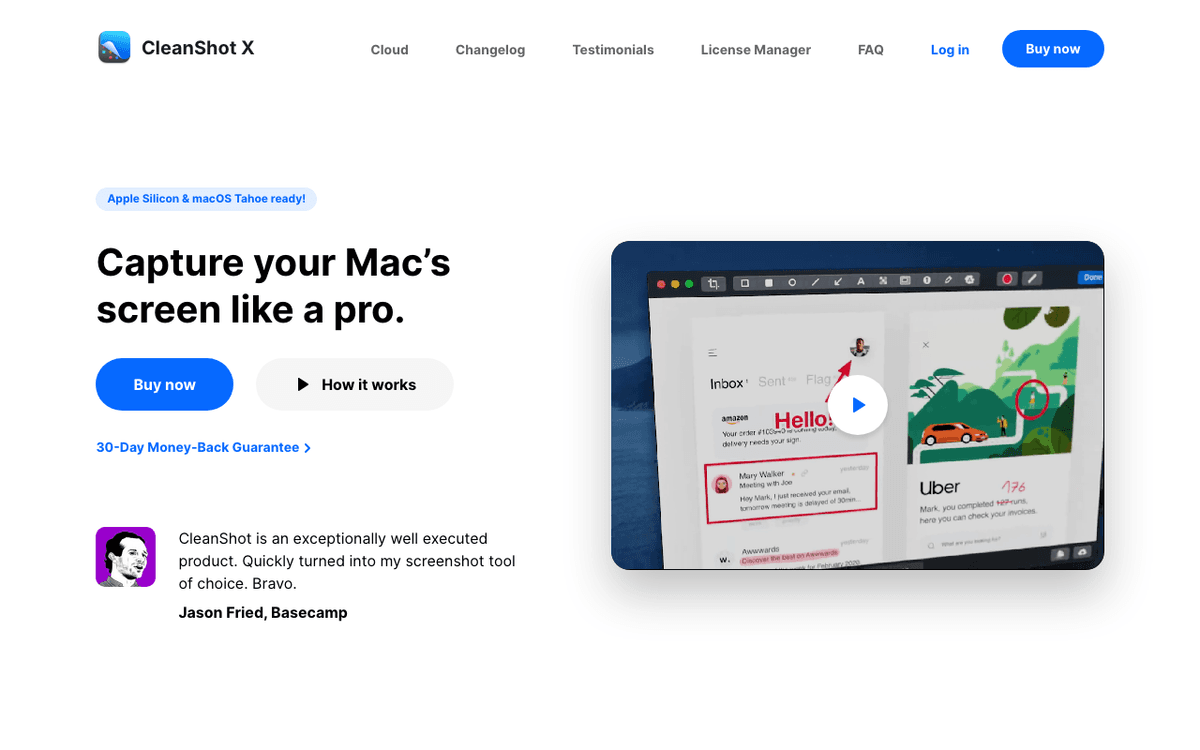
CleanShot X — Official Website
Our Verdict
For most Mac users in 2026, Flameshot is the better choice for screenshot tools because it is free and open source, so you can inspect, self-host, and trust the code. Both install with a single Homebrew command, so the switching cost is low. Choose CleanShot X instead if screenshot support is your priority.
Feature Comparison
| Feature | CleanShot X | Flameshot |
|---|---|---|
| Price | Paid | Free |
| Open Source | No | Yes |
| Replaces | — | Snagit ($63) |
| Best for | screenshot, screen recording | screenshot, annotation, capture |
| Install | brew install --cask cleanshot | brew install --cask flameshot |
| Category | System Utilities | System Utilities |
Quick Install
brew install --cask cleanshotbrew install --cask flameshotLearn More
In-Depth Overview
What is CleanShot X?
CleanShot X is the long-standing premium macOS screen capture app from Make The Web Limited. It replaces the built-in macOS screenshot pipeline with a unified capture overlay: area, window, full-screen, scrolling capture, screen recording with system audio and keystroke overlay, annotation editor, text recognition (OCR), and background management. Captures land in a Quick Access overlay for drag-and-drop or instant annotation, and CleanShot Cloud provides shareable links with custom domains, password protection, and self-destruct controls. In 2026 it remains macOS-only, fully supports Apple Silicon and current macOS including Tahoe 26.x, and is distributed both directly and via Setapp. Pricing is tiered: a $29 one-time license (1 Mac, 1 GB CleanShot Cloud, one year of updates) with a $19/year renewal for continued updates, and CleanShot Cloud Pro at $8/month billed annually or $10 month-to-month for unlimited storage, video uploads, custom domains, and team features. A subscription also bundles Mac App Store access. It is the benchmark for friction-free capture on the Mac when polish outweighs price.
What is Flameshot?
Flameshot is a free, open-source screenshot tool licensed under GPL-3.0, maintained by the Flameshot organization on GitHub. Its core strength is a fast, keyboard-driven on-screen editor: after dragging a selection, you can immediately add arrows, rectangles, highlights, blur, text, pins, and a counter, then copy, save, or upload (e.g., to Imgur) without opening a second app. It supports CLI commands, configurable shortcuts, and custom save paths. Flameshot was born on Linux and is most at home there, but it builds for Windows and macOS, on the Mac it installs via Homebrew (brew install --cask flameshot) or from GitHub releases and runs as a menu-bar helper. By August 2026 the project remains active (v13.x series), lightweight, and extensible via user scripts, though its macOS support trails its Linux polish and it offers no native screen recording, scrolling stitch, OCR, or first-party cloud beyond Imgur. For free, cross-platform capture and annotation it is hard to beat.
Detailed Feature Comparison
Capture Modes
CriticalArea, window, full-screen, scrolling capture with automatic stitching, delayed timer, and hide-desktop-icons toggle. Scrolling capture scrolls and stitches long pages automatically, a signature CleanShot advantage.
Area capture with live editor; full-screen via shortcut or CLI. No native automatic scrolling capture, users must take multiple shots or use external tools for long pages.
Verdict: CleanShot wins for scrolling and total mode coverage; Flameshot covers the essentials well.
Annotation and Editing
HighFull editor with arrows, shapes, highlights, blur/pixelate, text, numbered steps, spotlight, and background/wallpaper masking. Annotations remain editable before final save.
In-capture editor is Flameshot's highlight: arrows, lines, rectangles, circles, highlight, blur, text, pins, counter, and undo/redo, all without leaving the overlay. Lightweight and fast.
Verdict: Both editors are excellent; Flameshot is faster in-overlay, CleanShot is deeper for polished markup.
Screen Recording
HighBuilt-in screen recording for region/window/full-screen, with internal/system audio, microphone, keystroke and click highlighting, and GIF/MP4 export. Effectively replaces separate recorder apps.
No native screen recording. Users pair Flameshot with OBS, QuickTime, or Kap for video, an extra app and workflow step.
Verdict: CleanShot is the clear winner if you need video; Flameshot is image-only.
Cloud Sharing and Links
HighCleanShot Cloud: one-click upload, short links, password protection, custom domains (Pro), team workspaces, expiration, and analytics. Direct drag from Quick Access to Slack, Notion, etc.
Optional upload to Imgur via config. No first-party cloud, no custom domains, no link management UI, you handle hosting yourself.
Verdict: CleanShot Cloud is an integrated sharing pipeline; Flameshot relies on third-party uploads.
OCR and Text Extraction
MediumBuilt-in OCR: capture any text region and copy recognised text to clipboard. Reliable on Tahoe 26.x and tightly integrated with the overlay.
No built-in OCR. Users add OCR via external tools (e.g., macOS Live Text, Tesseract) as a separate step.
Verdict: CleanShot includes OCR out of the box; Flameshot does not.
macOS Integration and Performance
HighNative macOS app, Apple Silicon optimised, notarised, Touch Bar/hotkey support, Quick Access overlay, and consistent Tahoe 26.x behaviour. Minimal background footprint for its feature set.
Qt-based cross-platform build. Functional on macOS but feels like a port: extra permissions, less native overlay polish, and occasional quirks with Retina scaling and multi-monitor setups.
Verdict: CleanShot feels native on the Mac; Flameshot feels best on Linux.
Customisation and Extensibility
MediumConfigurable shortcuts, save locations, naming patterns, and annotation defaults. Less scriptable than a CLI-first tool, but covers common preferences.
Highly configurable: shortcuts, colours, save paths, CLI (flameshot gui, flameshot screen), config files, and scripting hooks. Power users can tailor the workflow deeply.
Verdict: Flameshot wins for CLI and config-file tinkerers.
Price and Licensing
High$29 one-time (one year updates, $19/year thereafter) or Cloud Pro at $8/month annual / $10 monthly. Also on Setapp. Premium but justified for daily capture heavy users.
Free and open source (GPL-3.0) on every platform. No tier, no subscription, no paywall, full editor free forever.
Verdict: Flameshot wins on price, free beats paid if budget is the constraint.
Who Should Choose Which?
1Product support agent
Scrolling tickets, blurring PHI, sharing password-protected links, and recording repro videos are daily, CleanShot collapses four tools into one.
2Open-source contributor on Linux+Mac
Free, GPL-licensed, cross-platform, scriptable, and offline-friendly, same muscle memory everywhere.
3Designer making App Store screenshots
Wallpaper masking, annotation polish, and OCR for copy extraction speed up asset work on Tahoe.
4Student on a tight budget
Full editor for free with no cloud upsell is perfect when sharing is via Discord/Imgur.
Migration Guide
Cleanshot → Flameshot
Uninstall CleanShot Cloud shortcut, brew install --cask flameshot, grant Screen Recording permission, recreate annotation shortcuts, and accept manual scrolling. Keep a separate recorder (OBS/Kap) handy.
Flameshot → Cleanshot
Grant CleanShot permissions, import your save folder and naming pattern, enable scrolling capture and OCR in Settings, and optionally connect CleanShot Cloud with a custom domain. Shortcuts will feel familiar within a day.
Pro Tips
Configure a single global shortcut per tool to avoid conflicts. On Tahoe, re-check Screen Recording permissions after major updates.
Final Verdict
CleanShot X
Winner
Runner-up
CleanShot X is the right default for most Mac users in August 2026 because it collapses scrolling capture, annotation, OCR, screen recording, and governed cloud sharing into a single native overlay that feels at home on Tahoe 26.x. Flameshot is the value champion, free, open source, cross-platform, and superb for fast in-overlay annotation, but it concedes scrolling, video, OCR, and first-party cloud. If budget is zero or cross-platform parity is non-negotiable, Flameshot is excellent. If screenshots are a daily communication tool, CleanShot pays for itself in saved clicks.
Bottom Line: Choose CleanShot X for the best native Mac capture and sharing workflow. Choose Flameshot if you want free, open-source, cross-platform annotation without video or cloud.
Video Tutorials
First steps with CleanShot X
CleanShot X • 24.0K views
CleanShot X for Mac
CleanShot X • 51.2K views
10 Things I love about CleanShot X for Mac
A Better Computer • 33.5K views
Getting started with CleanShot X
MinorCo • 10.5K views
Frequently Asked Questions
About the Author

Explore More on Bundl
Browse screenshot tools apps, read our complete guide, or discover curated bundles.
Expert Insights
On Tahoe 26.x, prefer a native overlay for scrolling capture, Qt ports often stumble on multi-monitor and notch handling.
Teams that share screenshots externally recoup CleanShot's price in saved upload-and-link steps within weeks.
Sources & References
Key Verified Facts
- CleanShot X one-time license is $29 with 1 GB Cloud and one year of updates; renewal $19/year; Cloud Pro $8/month billed annually or $10 month-to-month.[cite-cleanshot-pricing]
- CleanShot X includes scrolling capture, screen recording, OCR, annotation, and CleanShot Cloud sharing.[cite-cleanshot-home]
- Flameshot is free, open-source GPL-3.0 software with area capture and inline annotation, installable on macOS via Homebrew.[cite-flameshot-home, cite-flameshot-github, cite-brew-flameshot]
- Flameshot does not provide native screen recording or scrolling capture on macOS.[cite-flameshot-home, cite-flameshot-github]
- 1CleanShot X Pricing
Accessed Aug 9, 2026
- 2CleanShot X, Screen Capture for Mac
Accessed Aug 9, 2026
- 3Flameshot, Powerful yet Simple Screenshot Software
Accessed Aug 9, 2026
- 4Flameshot on GitHub
Accessed Aug 9, 2026
- 5Flameshot on AlternativeTo
Accessed Aug 9, 2026
- 6Shottr vs CleanShot X, Setapp Comparison (context for CleanShot Cloud)
Accessed Aug 9, 2026
- 7Flameshot Homebrew Cask
Accessed Aug 9, 2026
- 8CleanShot Cloud Pro Launch Coverage
Accessed Aug 9, 2026
Related Technologies & Concepts
Related Topics
macOS Screenshot Tools
Native and cross-platform screen capture utilities for Mac.